GitHub Actions pricing in 2026: what changed and how to pay less
GitHub cut hosted runner prices in 2026 and postponed the self-hosted fee. See the new per-minute prices, what a pipeline costs, and how to cut minutes.
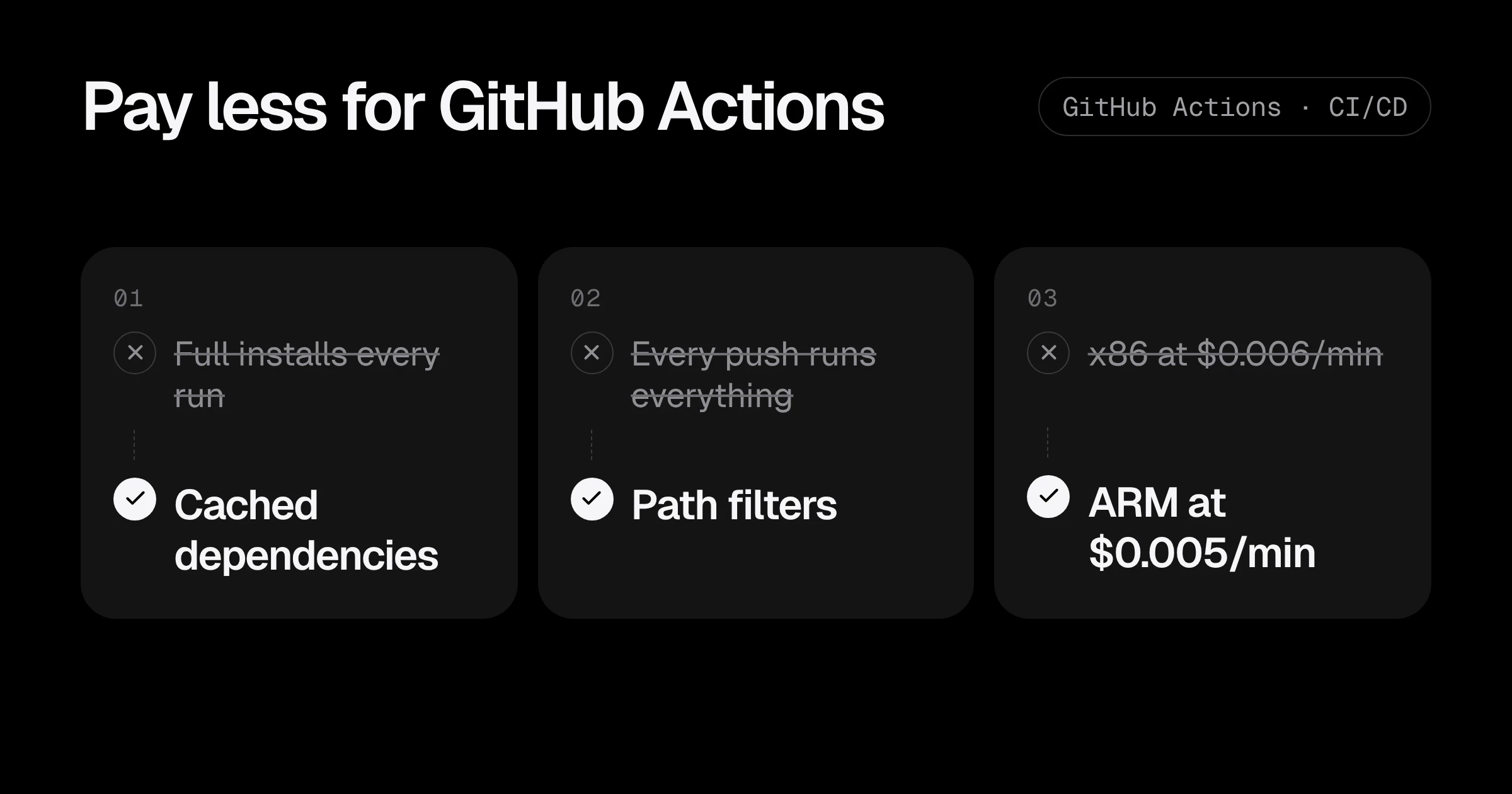
GitHub Actions pricing changed twice in the space of a few weeks. In December 2025 GitHub announced cheaper hosted runners and a new per-minute fee for self-hosted runners. Then, after strong pushback, it postponed the self-hosted fee but kept the price cut (GitHub announcement).
If your team runs CI in private repositories, here is what you pay now, what a typical pipeline costs, and the changes that cut the bill most.
The prices in 2026
Per-minute prices for private repositories (GitHub runner pricing):
| Runner | Per minute | Before January 2026 |
|---|---|---|
| Linux 1-core (x64) | $0.002 | not available |
| Linux 2-core (x64) | $0.006 | $0.008 |
| Linux 2-core (ARM) | $0.005 | |
| Windows 2-core | $0.010 | $0.016 |
| macOS (M1 or Intel) | $0.062 | $0.08 |
| Linux 4-core (x64 / ARM) | $0.012 / $0.008 | |
| Linux 8-core (x64 / ARM) | $0.022 / $0.014 | |
| Linux 16-core (x64 / ARM) | $0.042 / $0.026 |
And the rules that decide what you actually pay:
- Public repositories are free on standard runners.
- Included minutes for private repositories: 2,000 a month on GitHub Free, 3,000 on Pro and Team, 50,000 on Enterprise Cloud. They do not apply to larger runners.
- Each job rounds up to the next whole minute. A job that takes 10 seconds is billed as 1 minute.
- Self-hosted runners have no GitHub charge today. The announced $0.002 per minute fee is postponed, not cancelled, so keep an eye on it.
What a pipeline really costs
A small team: 10 engineers, 15 pushes each a working day, and a pipeline with lint, test and build jobs running on Linux 2-core.
| Item | Before fixes | After fixes |
|---|---|---|
| Pushes a month | 3,300 | 3,300 |
| Minutes per pipeline | 3 jobs × 6 min = 18 | 3 jobs × 3 min, half skipped by path filters ≈ 6 |
| Minutes a month | 59,400 | 19,800 |
| Cost after 3,000 included minutes | about $338 | about $101 |
The price cut alone saved this team a quarter of its bill. The changes below cut what was left by about two thirds. Minutes are the lever; price per minute is a smaller one.
Fix 1: cache dependencies
Downloading every npm, pip or Go module on every run is the most common waste. Most setup-* actions cache with one line:
- uses: actions/setup-node@v4
  with:
    node-version: 22
    cache: npm
- run: npm ci
The same works for Python (cache: pip), Go (cache: true, on by default in setup-go) and Java (cache: gradle or maven). On a typical Node project this turns a two-minute install into twenty seconds. More examples in why your GitHub Actions pipeline is slow.
Fix 2: do not run everything on every push
A change to the README does not need the backend tests. Path filters skip workflows that have nothing to do:
on:
  pull_request:
    paths:
      - "api/**"
      - "package-lock.json"
      - ".github/workflows/api.yml"
And cancel the run that a new push makes pointless:
concurrency:
  group: ${{ github.workflow }}-${{ github.ref }}
  cancel-in-progress: true
On busy branches, cancel-in-progress alone often removes 20 to 30% of minutes, because people push several times in a row.
Fix 3: pick the cheapest runner that does the job
- Use Linux unless you are building for macOS or Windows. One minute of macOS costs as much as ten minutes of Linux.
- Use ARM runners where your build works on ARM.
runs-on: ubuntu-24.04-armis $0.005 a minute against $0.006, and the gap grows with bigger runners. If you deploy to AWS Graviton, building on ARM also skips slow emulation: see moving to AWS Graviton. - Use a 1-core runner ($0.002) for tiny jobs: labelling, notifications, simple checks.
- Use a bigger runner only when it finishes proportionally faster. An 8-core runner costs nearly 4 times a 2-core one; it is only cheaper if the job finishes in less than a quarter of the time.
Fix 4: set timeouts on every job
The default job timeout is 6 hours. A test that hangs on a network call can burn 360 minutes before anyone notices:
jobs:
  test:
    runs-on: ubuntu-24.04
    timeout-minutes: 15
Set it a little above the job’s normal time, on every job.
Fix 5: see where the minutes go
In your organisation’s Settings > Billing, the usage report breaks minutes down by repository, workflow and runner type. Download it once a month and look at the top three workflows. You will nearly always find one that runs far more often than anyone thought, usually a scheduled workflow or a matrix that grew.
A complete workflow with the fixes in place
Here is a typical Node.js API workflow with every fix from this post applied. It only runs when API code changes, cancels outdated runs, caches dependencies, runs lint and tests in parallel on ARM, and stops any job that hangs:
name: API

on:
  pull_request:
    paths: ["api/**", ".github/workflows/api.yml"]
  push:
    branches: [main]
    paths: ["api/**", ".github/workflows/api.yml"]

concurrency:
  group: ${{ github.workflow }}-${{ github.ref }}
  cancel-in-progress: true

jobs:
  lint:
    runs-on: ubuntu-24.04-arm
    timeout-minutes: 10
    defaults: { run: { working-directory: api } }
    steps:
      - uses: actions/checkout@v5
      - uses: actions/setup-node@v4
        with: { node-version: 22, cache: npm, cache-dependency-path: api/package-lock.json }
      - run: npm ci
      - run: npm run lint

  test:
    runs-on: ubuntu-24.04-arm
    timeout-minutes: 15
    defaults: { run: { working-directory: api } }
    steps:
      - uses: actions/checkout@v5
      - uses: actions/setup-node@v4
        with: { node-version: 22, cache: npm, cache-dependency-path: api/package-lock.json }
      - run: npm ci
      - run: npm test
Two jobs that each take about two minutes, skipped entirely when nobody touched the API. Compare that with one six-minute job on every push to every branch, and the bill difference is obvious.
Set a spending limit
Private repositories on paid plans can go over the included minutes and keep billing. In Settings > Billing > Budgets and alerts, set a monthly budget for Actions with an alert at 75% and 100%. If the budget is set to stop usage, jobs fail once it is reached, which protects the bill but can block a release, so many teams prefer an alert only. Either way, a runaway scheduled workflow shows up in days instead of on the invoice.
Should you move to self-hosted runners now?
With the fee postponed, self-hosted runners on your own EC2 instances are still free from GitHub’s side. They make sense when:
- You use tens of thousands of minutes a month, so spot instances beat per-minute pricing.
- Jobs need access to private networks (databases, internal services) without opening them up.
- You need special hardware or very large machines.
They also bring real work: patching runners, cleaning up between jobs, autoscaling, and keeping untrusted pull requests away from them. For most small teams, the fixes above bring the hosted bill low enough that self-hosting is not worth the effort. Revisit it if GitHub brings the fee back.
GitHub Actions cost checklist
- Check usage by workflow in the billing report.
- Cache dependencies in every workflow.
- Add path filters and
cancel-in-progressconcurrency. - Use Linux, ARM and 1-core runners where they fit.
- Set
timeout-minuteson every job. - Recheck the self-hosted runner fee announcement before planning a migration.
Running deploys from GitHub Actions to AWS? Make sure they use short-lived credentials: see GitHub Actions to AWS with OIDC. And for a scheduled job that is worth its minutes, see Terraform drift detection with GitHub Actions. Want help making your pipeline faster and cheaper? See the CI/CD pipeline service.
Prices are from the GitHub Actions runner pricing reference and the 2026 pricing changes announcement, checked in November 2026.
Common questions
How much does GitHub Actions cost per minute in 2026?
For private repositories, a standard Linux 2-core runner costs $0.006 a minute, Linux ARM 2-core $0.005, Windows 2-core $0.010 and macOS $0.062. Public repositories are free on standard runners.
Do self-hosted runners cost money now?
Not yet. GitHub announced a $0.002 per minute platform fee for self-hosted runners from March 2026, then postponed it to re-evaluate. Check GitHub's billing documentation before planning around either outcome.
How many free GitHub Actions minutes do I get?
For private repositories, GitHub Free includes 2,000 minutes a month, Pro and Team 3,000, and Enterprise Cloud 50,000. Included minutes apply to standard runners, not larger runners.
Are ARM runners cheaper than x86 on GitHub Actions?
Yes. A Linux ARM 2-core runner is $0.005 a minute against $0.006 for x86, and larger ARM runners are around 35 to 40% cheaper than x86 runners of the same size.
Why is my GitHub Actions bill higher than expected?
Usually because every push runs every job, dependencies download from scratch each time, old runs keep going after a new push, or macOS and Windows jobs run when Linux would do. Each job is also rounded up to a whole minute.
Want this set up for your team?
I build this kind of infrastructure for startups and small teams, with fixed prices and full handover.