Move to AWS Graviton: cut EC2, Lambda and Fargate costs by about 20%
Graviton (ARM) instances cost about 20% less than Intel. See real prices, what breaks, and a safe order to move EC2, Lambda, Fargate and RDS.
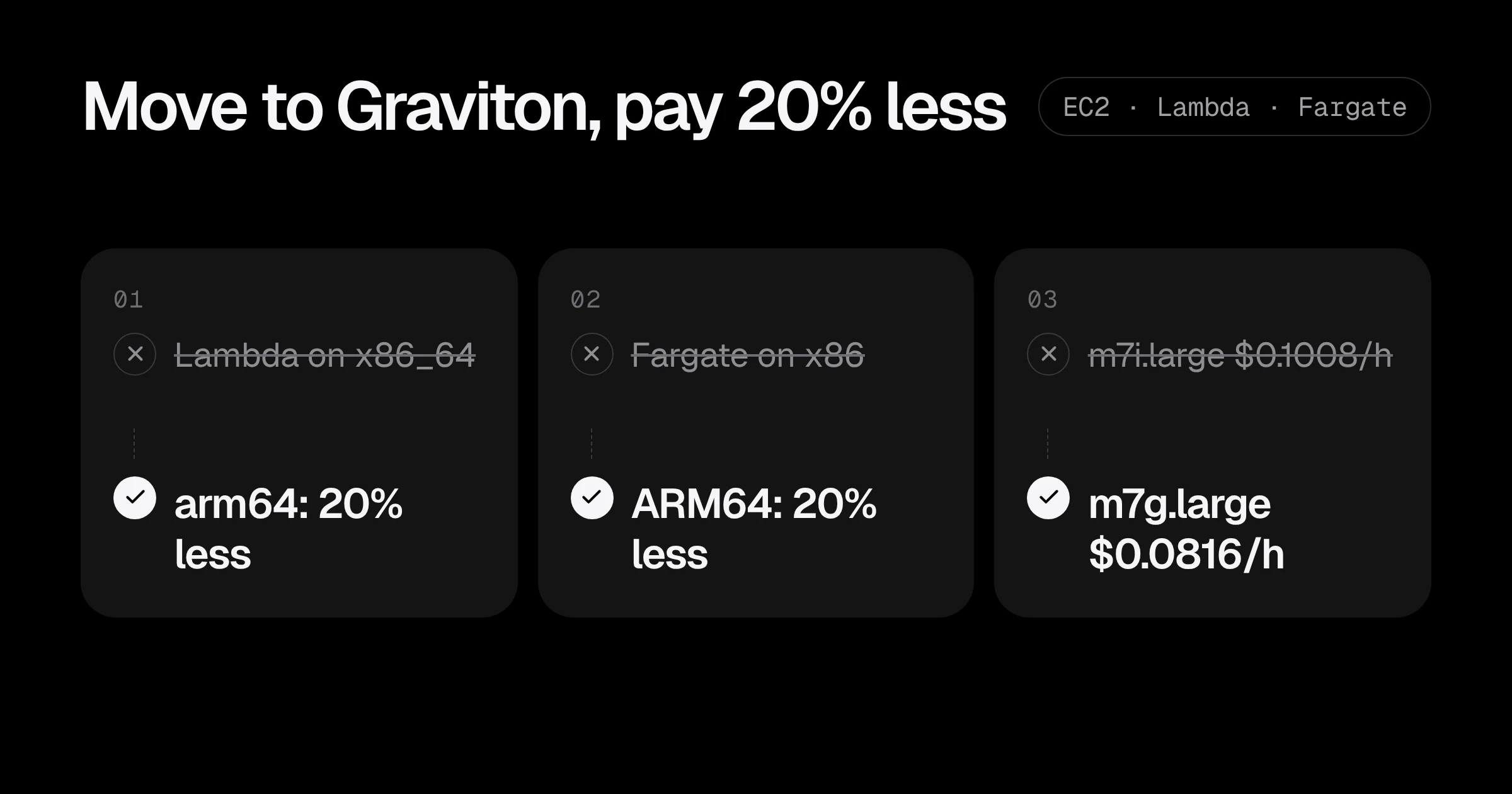
The easiest 20% off a compute bill on AWS is usually not a clever architecture change. It is moving to Graviton, AWS’s own ARM processors. For the same vCPUs and memory, a Graviton instance costs less per hour, and for most web backends, workers and containers it does the same work or more.
Real numbers from us-east-1 on-demand prices:
| Workload | x86 | Graviton (ARM) | Saving |
|---|---|---|---|
| EC2 general purpose, 2 vCPU / 8 GiB | m7i.large: $0.1008/hour | m7g.large: $0.0816/hour | 19% |
| EC2 burstable, 2 vCPU / 4 GiB | t3.medium: $0.0416/hour | t4g.medium: $0.0336/hour | 19% |
| Lambda, per GB-second | $0.0000166667 | $0.0000133334 | 20% |
| Fargate, per vCPU-hour | $0.04048 | $0.03238 | 20% |
For a startup spending $3,000 a month on compute, moving the easy parts to Graviton is around $600 a month, with no change to what the product does. This post shows what breaks, what does not, and a safe order to make the move.
What actually changes when you move to ARM
Graviton is a different CPU architecture (arm64 instead of x86_64). That sounds scary, but most of your stack does not care:
Usually works unchanged:
- Node.js, Python, Ruby, PHP, Java and .NET applications.
- Go and Rust, once you compile for
arm64(one flag). - Managed services: RDS, ElastiCache, OpenSearch, Lambda runtimes.
- Official Docker images for common software (nginx, postgres, redis, node, python), which are published for both architectures.
Needs attention:
- Your own container images if they were built only for
amd64. On a Graviton node they fail withexec format error. - Native extensions: Python wheels or Node modules with compiled code (older versions of image libraries, database drivers, crypto libraries). Current versions almost always ship ARM builds.
- Third-party agents: old monitoring, security or backup agents. Check each vendor’s ARM support.
- Binaries you download in scripts, like a
curl ... linux-amd64.tar.gzin a Dockerfile or user-data script.
Step 1: Lambda, the one-line change
Lambda is the safest place to start. If a function has no native dependencies, change the architecture and redeploy:
resource "aws_lambda_function" "api" {
  function_name = "api"
  runtime       = "nodejs22.x"
  handler       = "index.handler"
  architectures = ["arm64"]
  filename      = "build/api.zip"
  role          = aws_iam_role.lambda.arn
}
Or with the CLI for a function you deploy as a zip:
aws lambda update-function-code --function-name api \
  --zip-file fileb://build/api.zip --architectures arm64
If the function bundles native modules, build the zip on an ARM machine (or in an ARM container) so the right binaries are inside. Test it with the same events you use today, and watch duration and errors in CloudWatch for a day. Lambda bills by GB-second, so a function that runs as fast on ARM is simply 20% cheaper.
Step 2: build multi-architecture container images
Before moving any containers, make your images run on both architectures. With Docker Buildx in CI:
docker buildx create --use
docker buildx build \
  --platform linux/amd64,linux/arm64 \
  -t 123456789012.dkr.ecr.us-east-1.amazonaws.com/api:1.42.0 \
  --push .
ECR stores one tag that points to both images, and each machine pulls the one for its CPU. Your x86 servers keep working, and ARM servers can start using the same tag. Two details:
- Building the ARM image on an x86 runner uses emulation and is slow for heavy builds. GitHub’s ARM runners (
ubuntu-24.04-arm) build natively, and cost less per minute than x86 ones. See GitHub Actions pricing in 2026. - Check the Dockerfile for anything hard-coded to amd64: download URLs,
FROMlines with an architecture suffix, or--platform=linux/amd64.
Step 3: Fargate and ECS
With a multi-architecture image, ECS on Fargate is a task definition change:
resource "aws_ecs_task_definition" "api" {
  family                   = "api"
  requires_compatibilities = ["FARGATE"]
  network_mode             = "awsvpc"
  cpu                      = 512
  memory                   = 1024

  runtime_platform {
    operating_system_family = "LINUX"
    cpu_architecture        = "ARM64"
  }

  container_definitions = jsonencode([{
    name  = "api"
    image = "123456789012.dkr.ecr.us-east-1.amazonaws.com/api:1.42.0"
    portMappings = [{ containerPort = 8080 }]
  }])
}
Roll it out like any deploy: ECS replaces tasks gradually, and the health check stops a bad rollout. If the new tasks fail with exec format error, the image is not multi-architecture yet.
Step 4: EC2 and Kubernetes nodes
For EC2, the instance type and the AMI both change. An x86 AMI does not boot on Graviton, so pick the arm64 version of the same image:
aws ssm get-parameter \
  --name /aws/service/ami-amazon-linux-latest/al2023-ami-kernel-default-arm64 \
  --query 'Parameter.Value' --output text
Use it in the launch template with an instance type from the g families: t4g, m7g, c7g, r7g, or the newer Graviton4 m8g, c8g, r8g.
On EKS, add a Graviton node group next to the existing one instead of replacing it. With Karpenter, allow both architectures and let it pick the cheaper one:
requirements:
  - key: kubernetes.io/arch
    operator: In
    values: ["arm64", "amd64"]
Pods with multi-architecture images schedule anywhere. For any image that is still amd64-only, add a nodeSelector of kubernetes.io/arch: amd64 until it is rebuilt.
Step 5: databases and caches
RDS, Aurora and ElastiCache offer Graviton classes (db.m7g, db.r7g, cache.m7g and others). There is no code to change: the database engine is the same, only the hardware is different.
aws rds modify-db-instance --db-instance-identifier app-db \
  --db-instance-class db.m7g.large --apply-immediately
This restarts the instance, so leave out --apply-immediately to wait for the maintenance window, or do it on the standby first in a Multi-AZ setup. For RDS, check the price of your exact class and engine in your region before you switch; the gap is similar to EC2 in most cases.
A safe order for the whole move
- Lambda functions without native dependencies. Minutes each, easy to roll back.
- Multi-architecture images in CI for every service you build.
- Fargate or a second EKS node group on Graviton, one service at a time, starting with stateless workers.
- EC2 fleets behind load balancers, by swapping the launch template.
- Databases and caches in a maintenance window.
At each step, compare latency, error rate and CPU for a few days before moving on. If a service is slower on ARM (it happens, usually with heavily x86-optimised native code), keep it on x86. The goal is a cheaper bill, not a perfect migration.
Graviton and Savings Plans
If you already have Savings Plans, check which kind before you move:
- Compute Savings Plans follow you to any instance family, Fargate and Lambda. Moving to Graviton lowers your usage, so the plan covers more of it.
- EC2 Instance Savings Plans are tied to one family in one region, for example
m7iin us-east-1. Moving that workload tom7gleaves the plan unused.
The usual order is: move to Graviton first, let usage settle for a month, then buy or top up a plan for the new baseline. More in AWS Savings Plans for startups.
Graviton migration checklist
- List your biggest compute costs in Cost Explorer by service and instance type.
- Move Lambda functions without native dependencies to arm64.
- Build every container image for both linux/amd64 and linux/arm64.
- Move Fargate services and add a Graviton node group, one service at a time.
- Switch EC2 launch templates to
ginstance types and arm64 AMIs. - Move RDS and ElastiCache in a maintenance window.
- Buy or adjust Savings Plans after the move, not before.
Want a rough number for your whole bill first? Try the AWS savings estimator. If you would like help planning the move, the AWS cost optimization service includes a Graviton plan, or start with a Free AWS Review.
Prices are on-demand Linux prices in us-east-1 from the EC2, Lambda and Fargate pricing pages, checked in November 2026.
Common questions
Is Graviton always cheaper than Intel on AWS?
For the same size in the same generation, Graviton instances list at roughly 20% less in most regions, and they often do the same work with fewer instances. Check the price for your exact instance type and region, and test performance before you commit.
Will my application run on ARM without changes?
Code in Node.js, Python, Java, Go, Ruby and .NET usually runs unchanged. What breaks is anything compiled for x86: container images built only for amd64, native modules, and old binaries. Those need an ARM or multi-architecture build.
How do I build Docker images for Graviton?
Build multi-architecture images with docker buildx and --platform linux/amd64,linux/arm64, or build on an ARM runner. The registry then serves the right image to each machine.
Can I use Graviton with Savings Plans?
Yes. Compute Savings Plans apply to any instance family, so you can move to Graviton without changing your commitment. EC2 Instance Savings Plans are tied to one family, so plan the move before buying one.
Does RDS support Graviton?
Yes. RDS and Aurora offer Graviton classes such as db.m7g and db.r7g. Changing the class is a modify operation with a short restart, so do it in a maintenance window.
Want this set up for your team?
I build this kind of infrastructure for startups and small teams, with fixed prices and full handover.