Why your GitHub Actions pipeline is slow, and the fix
GitHub Actions slow? Cache your dependencies, run only when the right files change, cancel stale runs, and put a real gate in front of production.
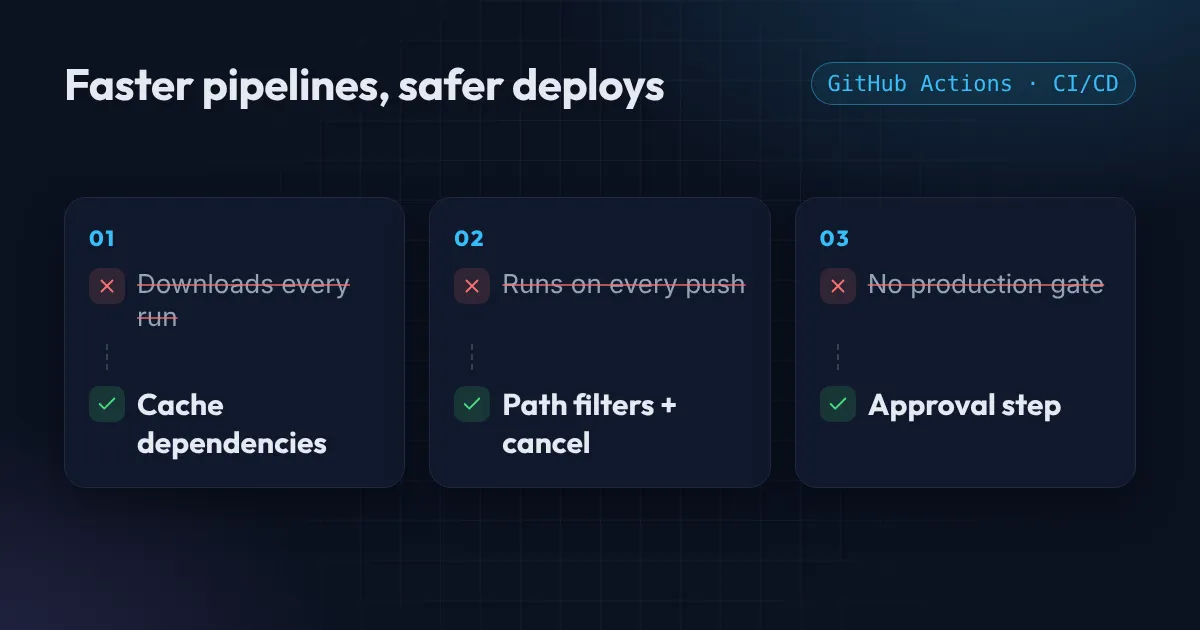
A slow GitHub Actions pipeline is more than an annoyance. When a deploy is taking too long, say fifteen minutes, people batch their changes, deploy less often, and each deploy becomes riskier. Fast feedback is what keeps releases small and boring.
Most slow GitHub Actions workflows share the same handful of problems: no cache, everything running on every push, jobs running one after another, Docker images rebuilt from scratch, and stuck jobs nobody stops. Here is how to find which one is yours, and the fix for each.
Why is GitHub Actions slow? Measure before you tune
Open a recent run in the Actions tab and click into the slowest job. Every step shows its duration, so you can see exactly where the minutes go. Fix the biggest step first, then measure again. The slowest step is often not the one you expect.
What you usually find:
| What the timing shows | The likely cause | Fix below |
|---|---|---|
npm ci, pip install or go mod download takes minutes |
No dependency cache | Problem 1 |
| The workflow ran for a README or docs change | No path filters | Problem 2 |
| Two or three runs queued for the same branch | Stale runs not cancelled | Problem 2 |
| Lint, tests and build run one after another | One long job instead of parallel jobs | Problem 3 |
docker build reinstalls everything each time |
No Docker layer cache | Problem 4 |
| A job ran for hours before it failed | No timeout | Problem 5 |
Problem 1: No GitHub Actions cache, so dependencies download every run
If every run starts with npm ci or pip install from scratch, you are downloading the same packages hundreds of times. Caching restores them in seconds.
For Node, the setup action has caching built in:
- uses: actions/checkout@v5

- uses: actions/setup-node@v6
  with:
    node-version: 22
    cache: npm

- run: npm ci
Other ecosystems work the same way. The Python, Java and Go setup actions all have a cache option, and actions/cache covers everything else:
- uses: actions/cache@v4
  with:
    path: ~/.cache/pip
    key: pip-${{ runner.os }}-${{ hashFiles('requirements.txt') }}
    restore-keys: |
      pip-${{ runner.os }}-
The key changes only when requirements.txt changes, so most runs get an exact hit. When it does change, restore-keys falls back to the most recent cache with the same prefix, so you still start from most of your packages.
How the GitHub Actions cache behaves, from the dependency caching reference:
| Rule | Value |
|---|---|
| Default size limit | 10 GB per repository |
| Unused entries removed after | 7 days |
| When the limit is reached | Least recently used caches go first |
| Which caches a run can read | Its own branch first, then the default branch |
Two habits make caches work for you: key them on your lock file, so they refresh when dependencies change, and keep them small, because restoring a huge cache can cost as much as it saves. Never put the commit SHA in a cache key: every run then misses.
Problem 2: Everything runs on every push
A typo fix in the README should not trigger a full build and deploy. Two settings stop that waste.
Path filters run the workflow only when relevant files change:
on:
  push:
    branches: [main]
    paths:
      - "src/**"
      - "package*.json"
Concurrency cancels an older run when a newer one starts on the same branch, so a quick succession of pushes does not queue up:
concurrency:
  group: ci-${{ github.ref }}
  cancel-in-progress: true
One warning, because this is a classic mistake: use cancel-in-progress for build and test jobs, but not for production deploys. Cancelling a deploy halfway through can leave you in a half-updated state. For deploy jobs, set it to false so runs queue instead.
Also note that path filters interact with required status checks. If a required check is skipped by a filter, the pull request can get stuck waiting. Plan for that before you make a check mandatory.
Problem 3: One long job instead of parallel jobs
Steps inside a job always run one after another. Jobs run in parallel unless you tell them to wait. So a single job that lints, then tests, then builds is the slowest possible layout.
Split independent work into separate jobs, and use needs only where one really depends on another:
jobs:
  lint:
    runs-on: ubuntu-24.04
    steps:
      - uses: actions/checkout@v5
      - run: npm ci && npm run lint

  test:
    runs-on: ubuntu-24.04
    strategy:
      matrix:
        shard: [1, 2, 3]
    steps:
      - uses: actions/checkout@v5
      - run: npm ci && npm test -- --shard=${{ matrix.shard }}/3

  build:
    needs: [lint, test]
    runs-on: ubuntu-24.04
    steps:
      - uses: actions/checkout@v5
      - run: npm ci && npm run build
Lint and the three test shards now run at the same time, and the build starts only when all of them pass. The total time becomes the slowest of them, not the sum.
Problem 4: Docker images rebuilt from scratch
A docker build on a fresh runner has no layers to reuse, so it reinstalls every package on every run. The docker/build-push-action can store layers in the GitHub Actions cache:
- uses: docker/setup-buildx-action@v3

- uses: docker/build-push-action@v6
  with:
    context: .
    push: true
    tags: ${{ env.IMAGE }}:${{ github.sha }}
    cache-from: type=gha
    cache-to: type=gha,mode=max
Order your Dockerfile so the layers that change least come first: copy the lock file and install dependencies before you copy the source code. Then a code change reuses the dependency layer instead of rebuilding it.
Problem 5: No timeout, so stuck jobs burn minutes
A test that hangs, or a deploy waiting on a resource that never appears, keeps running until GitHub’s default job timeout of 6 hours. On a private repository those are billed minutes, and the run blocks the queue.
Set a timeout close to how long the job normally takes:
jobs:
  test:
    runs-on: ubuntu-24.04
    timeout-minutes: 15
Production with no gate
Speed means nothing if anything can ship to production. A deploy job that runs on any push to any branch is one bad merge away from an outage.
Put three layers in front of it:
-
Only deploy from main. Add a branch condition to the job:
deploy: if: github.ref == 'refs/heads/main' -
Protect the main branch. Require pull requests, passing checks, and at least one review before merging.
-
Use a GitHub Environment for production. Environments can require a manual approval before a job runs and can hold secrets that only that job can read.
deploy:
  environment: production
  concurrency:
    group: deploy-production
    cancel-in-progress: false
And if the deploy talks to AWS, authenticate with short-lived OIDC credentials instead of stored access keys. I wrote that up in Deploy to AWS from GitHub Actions without access keys, with a real example in the OIDC case study.
The checklist
- You have looked at the timing breakdown of a recent run.
- Dependencies are cached and keyed on the lock file, with restore-keys as a fallback.
- Workflows run only when relevant files change.
- Older build runs are cancelled automatically, but deploys are not.
- Independent work runs in parallel jobs;
needsonly where it must wait. - Docker builds use a layer cache, and the Dockerfile installs dependencies before copying code.
- Every job has a
timeout-minutes. - Production deploys only from main, behind branch protection and a protected environment.
If a workflow file will not run, paste it into the free YAML validator to find the line, and read 3 YAML mistakes that break Kubernetes and GitHub Actions deploys. Running Terraform from your pipeline? The same caching and gating rules apply, and the CI/CD guides are collected in the CI/CD topic guide.
If you want your pipeline reviewed or rebuilt, see CI/CD pipeline setup.
Common questions
Why is GitHub Actions so slow?
Usually because every run starts from nothing: it downloads all dependencies, rebuilds Docker images without a layer cache, and runs every job one after another on every push. Caching, path filters, parallel jobs and cancelling stale runs fix most of it.
How long does the GitHub Actions cache last?
GitHub removes cache entries that have not been accessed for 7 days. When a repository reaches its cache limit, the least recently used caches are removed first.
How big can the GitHub Actions cache be?
By default 10 GB per repository. Usage above that is billed, and the limit can be raised in the repository, organization or enterprise settings.
Why is my GitHub Actions cache not being used?
Most often the key changes on every run (for example it includes the commit SHA), the cache was saved on another branch that this run cannot read, or it was evicted after 7 days without use. Key it on the lock file and add restore-keys as a fallback.
Should I use cancel-in-progress on deploy jobs?
No. Cancel stale build and test runs, but let deploys finish: a deploy stopped halfway can leave production half-updated. Give deploy jobs their own concurrency group with cancel-in-progress set to false.
Want this set up for your team?
I build this kind of infrastructure for startups and small teams, with fixed prices and full handover.