Does AWS charge for stopped instances? 3 hidden charges
Does AWS charge for stopped instances? Not for compute, but their EBS volumes and public IPs keep billing. Find them, and idle IPs, with three CLI commands.
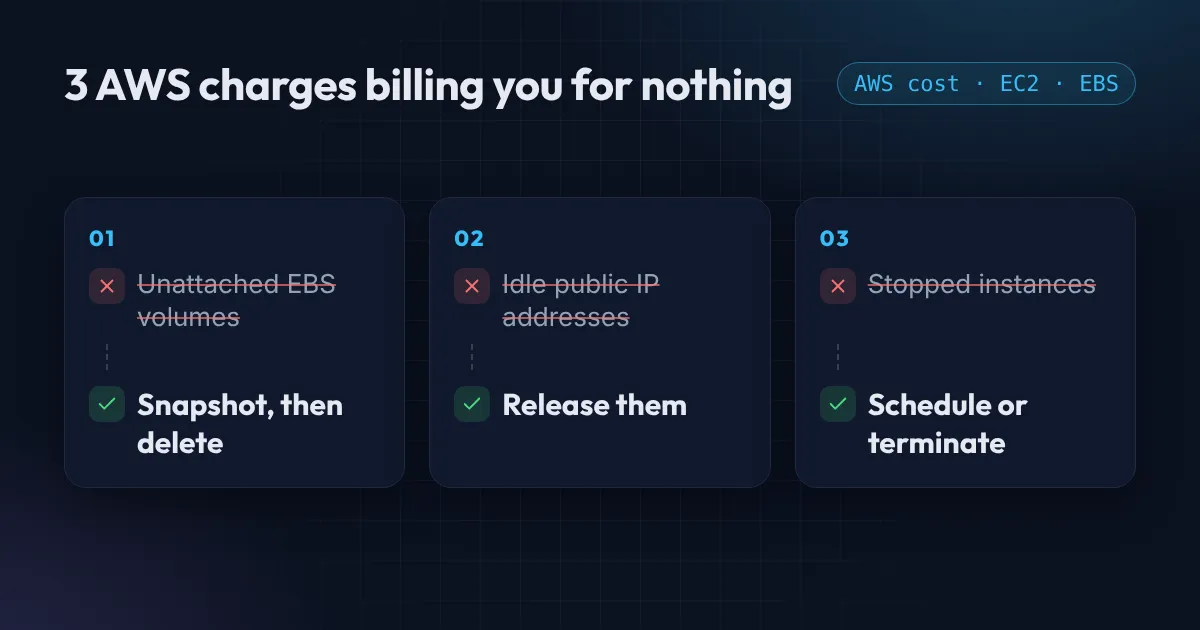
Does AWS charge for stopped instances? Not for the compute, but yes for the disks and IP addresses attached to them. Most AWS bills have a few lines like that, paying for nothing at all. No traffic, no users, no running code. They are leftovers: a disk from a server someone deleted, an IP address from a test, an instance that was stopped “for now” months ago.
None of these show up as errors. They just sit on the invoice. Here are the three I find most often, the AWS CLI commands to find them, and how to remove them without breaking anything.
What a stopped instance still costs
AWS is clear about it: a stopped instance is not charged for usage or data transfer, but “charges are incurred for the storage of any Amazon EBS volumes” (EC2 instance lifecycle). A typical forgotten test server in us-east-1:
| Part | While running | While stopped |
|---|---|---|
| t3.medium compute | about $30 a month | $0 |
| 30 GiB gp3 root volume | $2.40 a month | $2.40 a month |
| 100 GiB gp2 data volume | $10 a month | $10 a month |
| Elastic IP | $3.60 a month | $3.60 a month |
| Total | about $46 | $16 for nothing |
Ten of those across a few accounts is $160 a month, or close to $2,000 a year, for servers nobody uses. Storage at $0.08 (gp3) and $0.10 (gp2) per GB-month is from the EBS pricing page.
Unattached EBS volumes
When you terminate an EC2 instance, its root volume is usually deleted with it. But any extra volume you attached later is not. Its “delete on termination” setting is off by default, so the disk stays behind and keeps billing you every month, for every gigabyte.
Find every volume that is not attached to anything:
aws ec2 describe-volumes \
  --filters Name=status,Values=available \
  --query 'Volumes[].[VolumeId,Size,CreateTime]' \
  --output table
A status of available means the volume exists but no instance is using it. Before you delete one, take a snapshot. Snapshots are much cheaper than the volume, and they let you restore it if someone turns out to need the data.
aws ec2 create-snapshot --volume-id vol-0abc123 --description "before delete"
aws ec2 delete-volume --volume-id vol-0abc123
While you are looking at volumes, check for old gp2 volumes too. Moving them to gp3 is 20% cheaper per gigabyte and needs no downtime: see gp2 vs gp3 for the commands.
Idle public IP addresses
Since 1 February 2024, AWS charges $0.005 per hour for every public IPv4 address, which is roughly $3.60 a month each, “whether attached to a service or not” (AWS announcement).
The easiest ones to remove are Elastic IPs that are not attached to anything at all:
aws ec2 describe-addresses \
  --query 'Addresses[?AssociationId==null].[PublicIp,AllocationId]' \
  --output table
If nothing should use an address, release it:
aws ec2 release-address --allocation-id eipalloc-0abc123Be careful with addresses that are written into DNS records, firewall rules or a partner’s allowlist. Once released, you will not get the same IP back. Check where it is used first.
To see how much you pay for public IPs overall, open Cost Explorer, filter by the service “Amazon Virtual Private Cloud” and group by usage type. Idle and in-use public IPv4 addresses show up as separate lines.
Does AWS charge for stopped instances?
Stopping an EC2 instance stops the compute charge. It does not stop the storage charge. Every EBS volume attached to a stopped instance keeps billing, and so does an Elastic IP that stays associated with it. An auto-assigned public IP is released on stop (and the instance gets a new one when it starts), so that one stops costing.
List what is stopped:
aws ec2 describe-instances \
  --filters Name=instance-state-name,Values=stopped \
  --query 'Reservations[].Instances[].[InstanceId,LaunchTime,Tags[?Key==`Name`]|[0].Value]' \
  --output table
For each one, decide which of these it is:
- Not needed any more. Take a snapshot or create an AMI if you might want it back, then terminate it.
- A dev or test server. Keep it, but stop it on a schedule. A server that runs 50 hours a week instead of 168 costs about 70% less on compute.
- Production that was stopped by mistake. Find out why before you touch it.
Bonus: old snapshots and AMIs
Snapshots are cheaper than volumes, about $0.05 per GB-month for standard snapshots, but they never expire on their own. Accounts that snapshot “just in case” for years pay for every one of them, and an AMI keeps its snapshots alive until you deregister it.
List your own snapshots, oldest first:
aws ec2 describe-snapshots --owner-ids self \
  --query 'sort_by(Snapshots,&StartTime)[].[SnapshotId,VolumeSize,StartTime,Description]' \
  --output table
Keep the ones a backup policy needs, deregister AMIs nobody launches, and use Amazon Data Lifecycle Manager or AWS Backup so new snapshots expire on a schedule.
Check every region
All three commands only look at the region your CLI is set to. Leftovers love regions nobody looks at, usually the one someone used for a quick test. Loop over every region:
for r in $(aws ec2 describe-regions --query 'Regions[].RegionName' --output text); do
  echo "== $r"
  aws ec2 describe-volumes --region "$r" \
    --filters Name=status,Values=available \
    --query 'Volumes[].[VolumeId,Size]' --output text
done
Swap in the other two commands the same way.
Stop new leftovers from appearing
Cleaning up once is good. Not creating the mess again is better:
- Manage infrastructure with Terraform. When a resource is removed from code,
terraform applyremoves it from AWS, including the volume and the IP. - Tag everything with an owner. An untagged volume nobody recognises is the hardest thing to delete with confidence.
- Set a monthly budget with an 80% alert so a growing bill reaches you before the invoice does.
For more savings beyond these three, such as lifecycle rules for old S3 data and Cost Anomaly Detection, read 3 quick ways to cut your AWS bill without breaking anything, or work through the free AWS cost checklist.
Want a rough number first? The free AWS savings estimator turns what you find into a monthly saving range.
If you would like someone to go through your account and show you exactly where the money goes, my Free AWS Review covers cost as well as security.
Common questions
Does AWS charge for stopped EC2 instances?
Not for compute or data transfer. You still pay for every EBS volume attached to the instance, and for any Elastic IP that stays associated with it.
Does a stopped instance keep its public IP address?
An auto-assigned public IPv4 address is released when the instance stops, and it gets a new one on start. An Elastic IP stays associated, and keeps costing $0.005 an hour.
Is it cheaper to stop or terminate an EC2 instance?
Terminating is cheaper: a stopped instance still pays for its disks. If you might need it again, create an AMI or a snapshot, then terminate. Snapshots cost about half as much per GB as gp2 storage.
How much does an unused Elastic IP cost?
$0.005 per hour, about $3.60 a month. Since February 2024 AWS charges the same rate for every public IPv4 address, in use or not.
Do I pay for a stopped RDS database?
Yes for its storage and backups, not for the instance hours. AWS also starts a stopped RDS instance again automatically after seven days, so stopping is not a way to park a database for good.
Want this set up for your team?
I build this kind of infrastructure for startups and small teams, with fixed prices and full handover.