AWS Savings Plans for startups: how much to commit and which plan
Compute, EC2 Instance and Database Savings Plans compared for startups: real discounts, how to size a safe commitment, and mistakes that waste money.
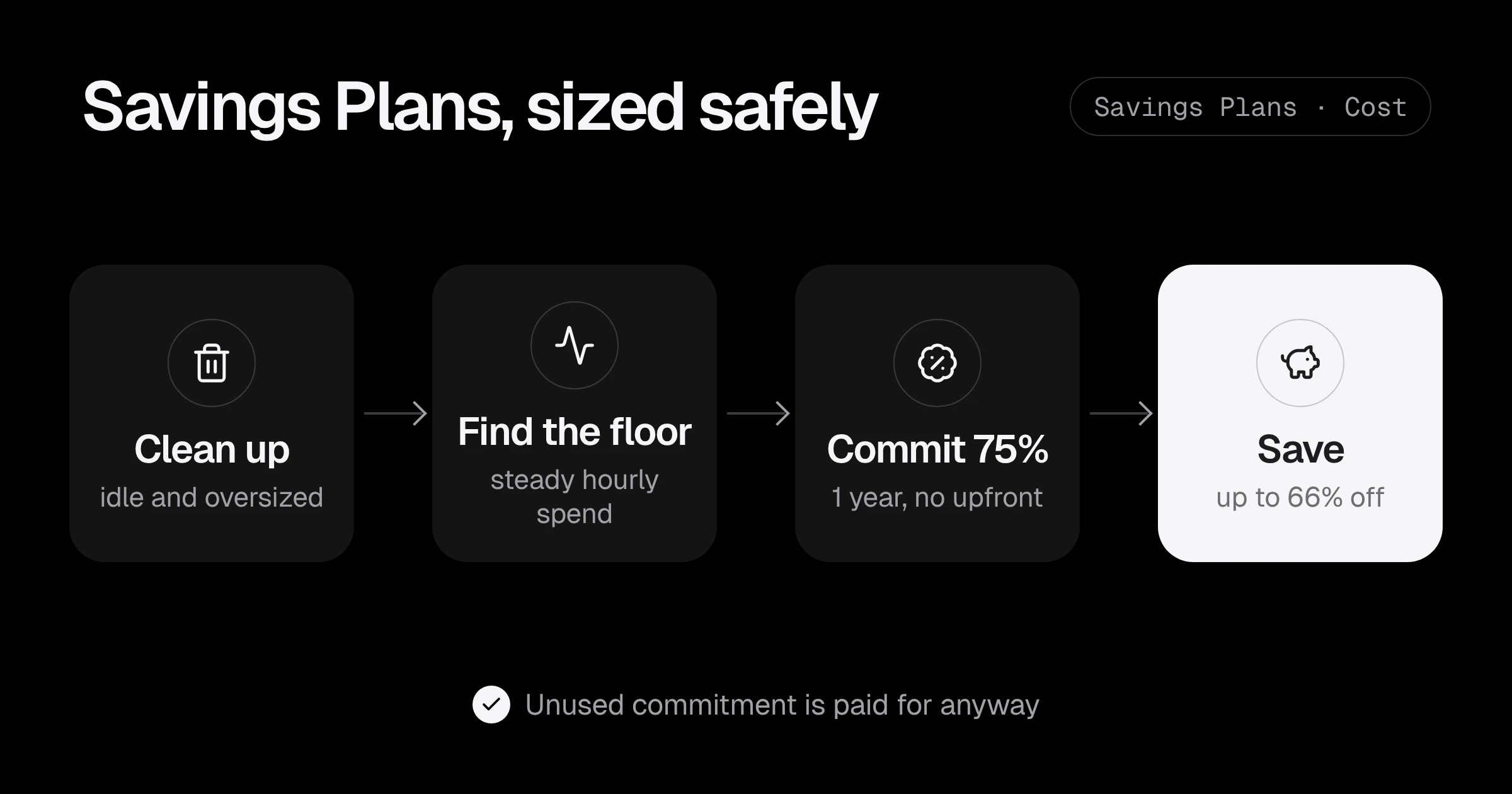
A Savings Plan is the biggest single discount on AWS that needs no engineering work. You promise to spend a fixed amount per hour for one or three years, and AWS bills the matching usage at a lower rate. For a startup with a steady base of servers, that is often 25 to 40% off the biggest line of the bill.
It is also the easiest way to waste money on AWS. A commitment cannot be cancelled. Commit too much, or commit before you clean up, and you pay for capacity you do not use, every hour, for a year.
This post covers which plan to buy, how to size the commitment from your own data, and the order to do it in.
The three kinds of Savings Plans
| Plan | Covers | Maximum discount | Flexibility |
|---|---|---|---|
| Compute Savings Plans | EC2 (any family, size, region, OS), Fargate, Lambda | up to 66% | High: follows you if you change instance types or move to containers |
| EC2 Instance Savings Plans | One instance family in one region, e.g. m7g in us-east-1 | up to 72% | Low: tied to that family |
| Database Savings Plans | Aurora, RDS, DynamoDB, ElastiCache, DocumentDB, Neptune, Keyspaces, Timestream, DMS | up to 35% | Medium: any of these services, 1-year only |
Sources: Compute and EC2 Instance Savings Plans and the Database Savings Plans announcement (December 2025).
The “maximum” numbers are for 3-year, all-upfront plans on specific instance types. A 1-year, no-upfront Compute Savings Plan typically lands around 25 to 30% off on-demand for common instances. For example, an m8gn.large in us-east-1 lists at about $0.146 an hour on-demand and about $0.106 with a 1-year no-upfront Compute Savings Plan, roughly 27% less (Holori price data).
Database Savings Plans are the new one. Before them, the only discount for RDS was a Reserved Instance tied to one engine, size and region. The new plan follows your database spend across services and sizes, which suits a startup that may resize or move from RDS to Aurora during the year.
Step 1: clean up before you commit
A Savings Plan discounts what you run. If what you run is oversized, you lock in the oversize for a year. Before buying, do the free fixes:
- Delete idle resources and old environments: see 3 hidden AWS charges.
- Right-size servers whose CPU sits below 20%.
- Move what you can to Graviton, which is about 20% cheaper on its own: see moving to AWS Graviton.
- Schedule dev and staging to stop at night and at weekends.
Then wait two to four weeks for usage to settle. The new, lower baseline is what you commit to.
Step 2: find your steady hourly floor
Savings Plans are bought in dollars per hour of discounted usage. The safe size comes from the lowest level your compute spend reaches, not the average.
The quickest way to see it is in Cost Explorer: filter to EC2 compute, Fargate and Lambda, set granularity to Hourly (it covers the last 14 days), and look for the floor of the line, usually at night or at weekends. If the floor is $4.00 an hour on-demand, that is your starting point.
AWS also recommends a commitment from your history:
aws ce get-savings-plans-purchase-recommendation \
  --savings-plans-type COMPUTE_SP \
  --term-in-years ONE_YEAR \
  --payment-option NO_UPFRONT \
  --lookback-period-in-days THIRTY_DAYS \
  --query 'SavingsPlansPurchaseRecommendation.SavingsPlansPurchaseRecommendationDetails[0].[HourlyCommitmentToPurchase,EstimatedMonthlySavingsAmount,EstimatedAverageUtilization]'
Treat that number as an upper limit. The recommendation assumes the next year looks like the last 30 days. For a startup, it often does not.
Step 3: size the commitment
A rule that works for most startups: commit to 70 to 80% of the steady floor, in on-demand terms, converted to the discounted rate.
Example: the floor is $4.00 an hour on-demand, and the plan saves about 28%.
- 75% of the floor is $3.00 an hour of on-demand usage.
- At 28% off, that usage costs $2.16 an hour under the plan. That is the commitment.
- Monthly: $2.16 × 730 hours = about $1,577, covering usage that would have cost $2,190 on-demand. Saving: about $613 a month, $7,350 a year.
Everything above $3.00 an hour of usage stays on-demand. That is not waste; it is the flexibility to shrink, change architecture, or move to Graviton later without paying for nothing.
If your usage grows, buy a second plan later. Several small plans bought over time are safer than one big plan bought at the start.
Step 4: pick the plan for each part of the bill
| Situation | Plan |
|---|---|
| EC2, ECS on Fargate or Lambda, still changing | Compute Savings Plan, 1 year, no upfront |
| A big, stable EC2 fleet on one family you will not change | EC2 Instance Savings Plan, for that family only |
| RDS or Aurora running all the time | Database Savings Plan, 1 year |
| A database you plan to replace or shut down within a year | Nothing yet, stay on-demand |
Two things to check with databases:
- Existing RDS Reserved Instances keep applying until they expire. Plan the Database Savings Plan for when they end, not on top of them.
- Serverless databases (Aurora Serverless, DynamoDB on-demand) are covered too, so steady serverless spend can be committed like provisioned instances.
Step 5: watch utilisation every month
After buying, two numbers in Cost Explorer > Savings Plans tell you whether it was the right size:
- Utilisation: how much of your commitment you used. Below about 95% means you committed too much.
- Coverage: how much of your eligible usage the plans covered. Low coverage with high utilisation means there is room for another small plan.
Add a budget alert so a drop shows up the week it happens, not at the end of the year. In AWS Budgets, choose Create budget, then Savings Plans budget, then Utilization, set the threshold to 95% and add your email. It takes two minutes and needs no code.
You can also read both numbers from the command line for last month:
aws ce get-savings-plans-utilization \
  --time-period Start=2026-10-01,End=2026-11-01 \
  --query 'Total.Utilization.UtilizationPercentage'

aws ce get-savings-plans-coverage \
  --time-period Start=2026-10-01,End=2026-11-01 \
  --query 'SavingsPlansCoverages[].Coverage.CoveragePercentage'
Mistakes that waste money
- Committing to the average, not the floor. Every quiet hour below the commitment is paid for and unused.
- Buying 3 years because the discount is bigger. For a startup, the risk of change is bigger than the extra discount.
- Buying an EC2 Instance Savings Plan, then moving to Graviton or containers. The plan stays on the old family.
- Buying before cleaning up. The commitment locks in today’s waste.
- Forgetting the end date. When a plan expires, usage goes back to on-demand prices silently. Put the renewal date in a calendar.
Savings Plans checklist
- Clean up idle resources, right-size and move to Graviton first.
- Wait for usage to settle, then find the steady hourly floor.
- Commit to 70 to 80% of the floor, 1 year, no upfront.
- Use Compute Savings Plans for changing compute, Database Savings Plans for steady databases.
- Check utilisation and coverage monthly, and set a utilisation budget alert.
- Add small plans over time instead of one big one.
Want a rough idea of the total saving first? Try the AWS savings estimator. If you would like someone to size the commitment from your real usage, the AWS cost optimization review does exactly that, or start with a Free AWS Review.
Discount figures are from the AWS Savings Plans pricing page and the Database Savings Plans announcement, checked in November 2026. This is general information, not financial advice for your company.
Common questions
Which AWS Savings Plan is best for a startup?
Usually a 1-year, no-upfront Compute Savings Plan. It applies to EC2 in any family and region, Fargate and Lambda, so it keeps working when your architecture changes. The extra discount of an EC2 Instance Savings Plan only pays off if you are sure of the instance family for the whole term.
How much should I commit to?
Look at your hourly compute spend over the last 30 to 60 days and find the steady floor, the level you never go below. Commit to about 70 to 80% of that floor. Anything above it stays on-demand, which is fine.
What are Database Savings Plans?
A Savings Plan launched in December 2025 that gives up to 35% off Aurora, RDS, DynamoDB, ElastiCache, DocumentDB, Neptune, Keyspaces, Timestream and DMS for a 1-year commitment with no upfront payment. Unlike Reserved Instances, it is not tied to one instance size or engine.
Can I cancel or sell a Savings Plan?
No. You pay the hourly commitment for the whole term, whether you use it or not. That is why the commitment should be smaller than your steady usage.
Should I pick 1 year or 3 years?
Most startups should pick 1 year. Three years gives a bigger discount, but your product, team and architecture will probably look very different in three years.
Want this set up for your team?
I build this kind of infrastructure for startups and small teams, with fixed prices and full handover.