EKS extended support: the 6x control plane bill and how to avoid it
EKS extended support costs $0.60 per cluster hour instead of $0.10. See which Kubernetes versions are affected in 2026, find your clusters, and upgrade safely.
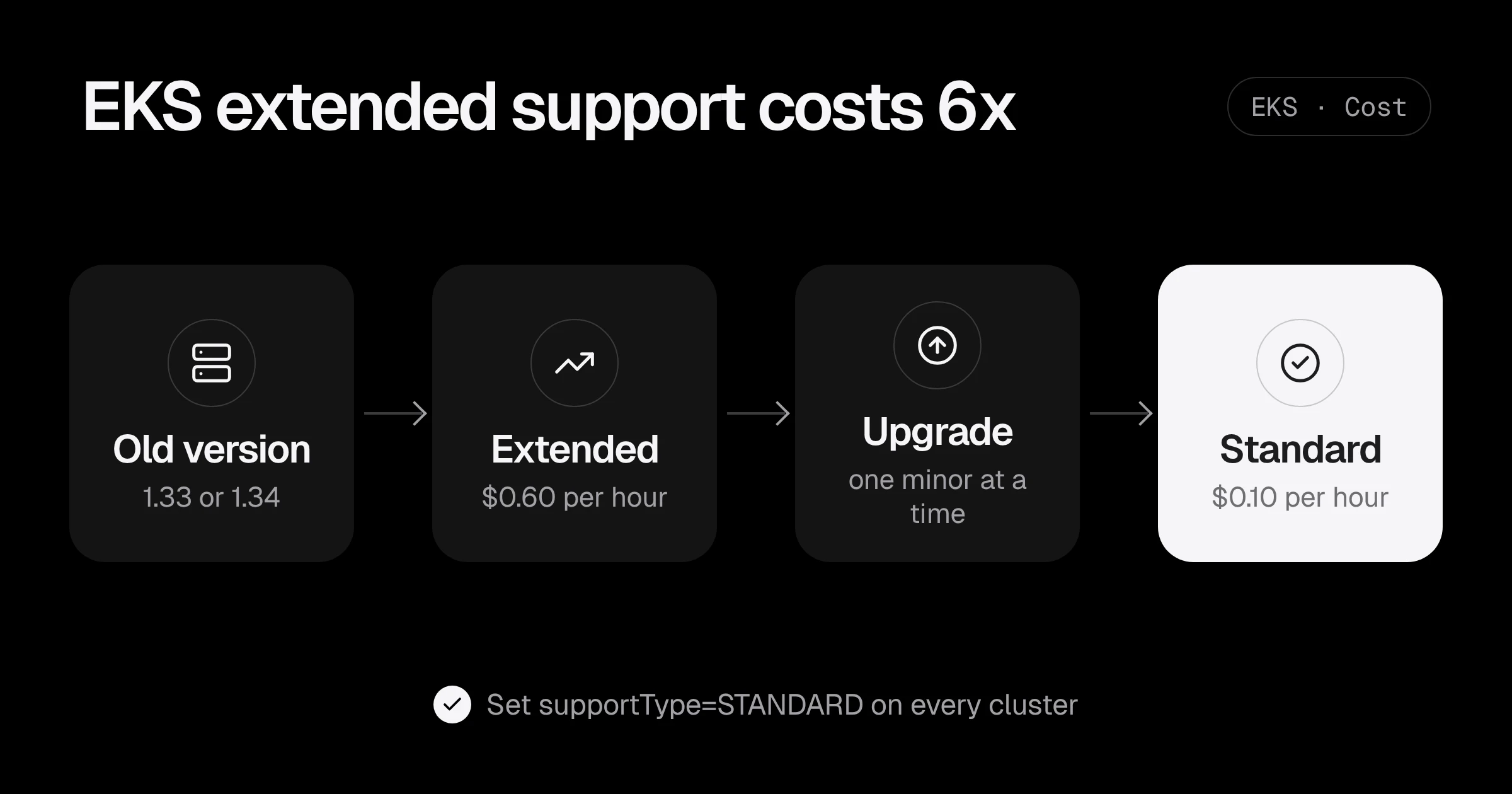
EKS extended support has a simple price: $0.60 per cluster per hour instead of $0.10. That is about $438 a month for each cluster’s control plane instead of about $73, six times more, for running a Kubernetes version that is more than 14 months old. Nothing about the cluster gets better. You are paying AWS to keep patching an old version for you.
This matters right now. Kubernetes 1.33 moved to extended support on 29 July 2026, and 1.34 follows on 2 December 2026. If your startup created an EKS cluster in late 2025 and never upgraded it, it is about to cost six times more for the same thing.
This post shows how to find every cluster and its support status, stop the higher rate from ever starting by surprise, and upgrade with a plan you can repeat every few months.
How EKS support and pricing work
Every Kubernetes version on EKS goes through two phases (AWS pricing post):
| Phase | How long | Control plane price |
|---|---|---|
| Standard support | 14 months after the version is released on EKS | $0.10 per cluster hour |
| Extended support | 12 more months | $0.60 per cluster hour |
| End of extended support | after 26 months | AWS upgrades the cluster for you |
The charge is per cluster, not per node. A small startup with a production cluster, a staging cluster and a dev cluster on an old version pays about $1,095 a month more than it needs to. That is $13,000 a year for doing nothing.
Your worker nodes, Fargate pods, load balancers and EBS volumes are billed exactly the same in both phases. Only the control plane line changes, which is why it is easy to miss in Cost Explorer.
The 2026 calendar
These are the dates that matter for clusters running today (EKS version lifecycle, mirrored on endoflife.date):
| Version | End of standard support | End of extended support |
|---|---|---|
| 1.32 | 23 March 2026 (already on extended) | 23 March 2027 |
| 1.33 | 29 July 2026 (already on extended) | 29 July 2027 |
| 1.34 | 2 December 2026 | 2 December 2027 |
| 1.35 | 27 March 2027 | 27 March 2028 |
| 1.36 | 2 August 2027 | 2 August 2028 |
| 1.37 | 1 December 2027 | 1 December 2028 |
If you are on 1.32 or 1.33 today, you are already paying $0.60. If you are on 1.34, you have a few weeks. The safest target for an upgrade now is 1.35 or 1.36: both stay in standard support well into 2027.
Step 1: find every cluster, its version and its support type
Clusters live in regions, so check all of them. This prints each cluster with its region, version and upgrade policy:
for r in $(aws ec2 describe-regions --query 'Regions[].RegionName' --output text); do
  for c in $(aws eks list-clusters --region "$r" --query 'clusters[]' --output text); do
    aws eks describe-cluster --region "$r" --name "$c" \
      --query '[cluster.name, cluster.version, cluster.upgradePolicy.supportType]' \
      --output text | sed "s/^/$r /"
  done
done
Example output:
us-east-1 prod-api 1.33 EXTENDED
us-east-1 staging 1.34 EXTENDED
eu-west-1 dev 1.35 STANDARD
EXTENDED here means the cluster is allowed to go into extended support when its version gets old. It does not always mean it is paying the higher rate yet. Compare the version with the table above: prod-api on 1.33 is paying $0.60 today, and staging on 1.34 will start on 2 December.
Step 2: make sure no cluster can drift into extended support
Each cluster has an upgrade policy. The default lets a cluster move into extended support and the higher price. Setting it to STANDARD turns that off (AWS docs):
aws eks update-cluster-config --name staging --upgrade-policy supportType=STANDARDWith STANDARD set, a cluster that reaches the end of standard support is upgraded to the next version by AWS instead of being billed at $0.60. Two things to know before you rely on that:
- You can only set it while the cluster is still on standard support. For a cluster already on extended support, the only way back to $0.10 is to upgrade it.
- An automatic upgrade happens on AWS’s timing, not yours. It is a safety net against the bill, not an upgrade plan. Your workloads should already have been tested on the next version.
In Terraform, set it on the cluster resource so new clusters get it from day one:
resource "aws_eks_cluster" "main" {
  name     = "prod-api"
  role_arn = aws_iam_role.cluster.arn
  version  = "1.35"

  vpc_config {
    subnet_ids = var.private_subnet_ids
  }

  upgrade_policy {
    support_type = "STANDARD"
  }
}
The upgrade_policy block needs a recent AWS provider (it arrived in the 5.x series). Run terraform plan and check it shows update in-place, not a replacement of the cluster.
Step 3: check what will break before you upgrade
Most failed EKS upgrades are caused by something inside the cluster still using an API that the next version removed. EKS checks this for you with upgrade insights:
aws eks list-insights --cluster-name prod-api \
  --query 'insights[].[name,insightStatus.status]' --output table
Any insight that is not PASSING needs work before the upgrade. To see details, including which clients called a deprecated API recently:
aws eks describe-insight --cluster-name prod-api --id "$INSIGHT_ID" # an id from list-insightsAlso check these, in this order:
- Add-ons. VPC CNI, CoreDNS, kube-proxy and the EBS CSI driver each have versions tied to the Kubernetes version. List the supported versions with
aws eks describe-addon-versions --kubernetes-version 1.35 --addon-name vpc-cni. - Helm charts you installed yourself. Ingress controllers, cert-manager, the AWS Load Balancer Controller and autoscalers like Karpenter all have a supported Kubernetes range in their release notes.
- Node AMIs. Managed node groups need an AMI for the new version. Amazon Linux 2 AMIs stopped at 1.32, so newer versions mean Amazon Linux 2023 or Bottlerocket nodes.
Step 4: upgrade one minor version at a time
EKS only moves the control plane up one minor version per upgrade. Going from 1.33 to 1.35 is two rounds of this:
# 1. Control plane (takes roughly 10 to 20 minutes, the API stays available)
aws eks update-cluster-version --name prod-api --kubernetes-version 1.34
aws eks wait cluster-active --name prod-api

# 2. Add-ons, to the version that matches 1.34 (ADDON_VERSION from describe-addon-versions)
aws eks update-addon --cluster-name prod-api --addon-name vpc-cni \
  --addon-version "$ADDON_VERSION" --resolve-conflicts PRESERVE

# 3. Managed node groups (nodes are replaced with a rolling update)
aws eks update-nodegroup-version --cluster-name prod-api --nodegroup-name default
Repeat for the next version. If Terraform manages the cluster, change version in Terraform instead, one step at a time, so the code and the cluster never disagree.
Three habits keep this boring:
- Upgrade staging first and leave it on the new version for a few days of normal traffic.
- Check PodDisruptionBudgets before the node group update. A PDB that allows zero disruptions blocks the rolling update until it times out.
- Keep a note of what you did. You will do this again in about a year, and next time it takes half the time.
What the upgrade is worth
For one cluster that is already on extended support:
| Support | Hourly | Monthly (730 hours) | Yearly |
|---|---|---|---|
| Extended support | $0.60 | $438 | $5,256 |
| Standard support | $0.10 | $73 | $876 |
| Saving | $0.50 | $365 | $4,380 |
For three clusters, that is over $13,000 a year back, for roughly a day of planned work per cluster. Few cost fixes on AWS pay back faster. If you want to see the dates and cost for your own versions, the EKS version support checker does the maths.
Stay out of extended support for good
The calendar repeats: a new Kubernetes version arrives on EKS about every four months, and each one leaves standard support 14 months later. A simple routine keeps you ahead:
- Every cluster has
supportType=STANDARD. Put it in your Terraform module so new clusters get it automatically. - Two upgrades a year. Pick two dates, for example March and September, and move every cluster to the newest version that has been on EKS for at least a month.
- A calendar reminder 60 days before each end-of-standard-support date for the versions you run.
- A budget alert on EKS. A jump from $73 to $438 per cluster is easy to spot if something is watching. See how to set up alerts that reach a person.
EKS extended support checklist
- List every cluster in every region with its version and upgrade policy.
- Compare each version with the calendar and note which ones pay $0.60 now or soon.
- Set
supportType=STANDARDon every cluster still on standard support. - Run upgrade insights and fix anything not passing.
- Upgrade staging one minor version at a time: control plane, add-ons, then nodes.
- Repeat on production, and put the upgrade policy in your Terraform module.
Running pods that restart for no clear reason after an upgrade? Start with 3 Kubernetes mistakes that crash your pods. If you would rather have someone plan and run the upgrade with you, the EKS setup and upgrade service covers it, or start with a Free AWS Review.
Prices are from the Amazon EKS extended support pricing post and dates from the EKS Kubernetes version lifecycle, checked in November 2026.
Common questions
How much does EKS extended support cost?
$0.60 per cluster per hour, against $0.10 on standard support. That is about $438 a month per cluster instead of about $73. Worker nodes, Fargate and EBS are billed the same either way.
When does Kubernetes 1.34 leave standard support on EKS?
On 2 December 2026. From that day a 1.34 cluster bills at the extended support rate unless you upgrade it or its upgrade policy is set to STANDARD.
Can I turn off extended support for a cluster that is already on it?
No. You can only change the upgrade policy while the cluster is still on standard support. A cluster already on extended support goes back to $0.10 an hour once you upgrade it to a version in standard support.
What happens if I set the upgrade policy to STANDARD and forget to upgrade?
AWS upgrades the control plane to the next Kubernetes version when standard support ends. That avoids the extra charge, but your workloads meet a new version on AWS's schedule instead of yours, so plan the upgrade before that date.
Do I have to upgrade one version at a time?
Yes. EKS upgrades the control plane one minor version at a time, so 1.32 to 1.35 means three upgrades. Nodes and add-ons should follow each step.
Want this set up for your team?
I build this kind of infrastructure for startups and small teams, with fixed prices and full handover.