AWS NAT gateway cost: why it is so high and 5 ways to cut it
A NAT gateway costs $0.045 an hour plus $0.045 per GB. See where the money goes, add free S3 endpoints, and when regional NAT or one gateway is enough.
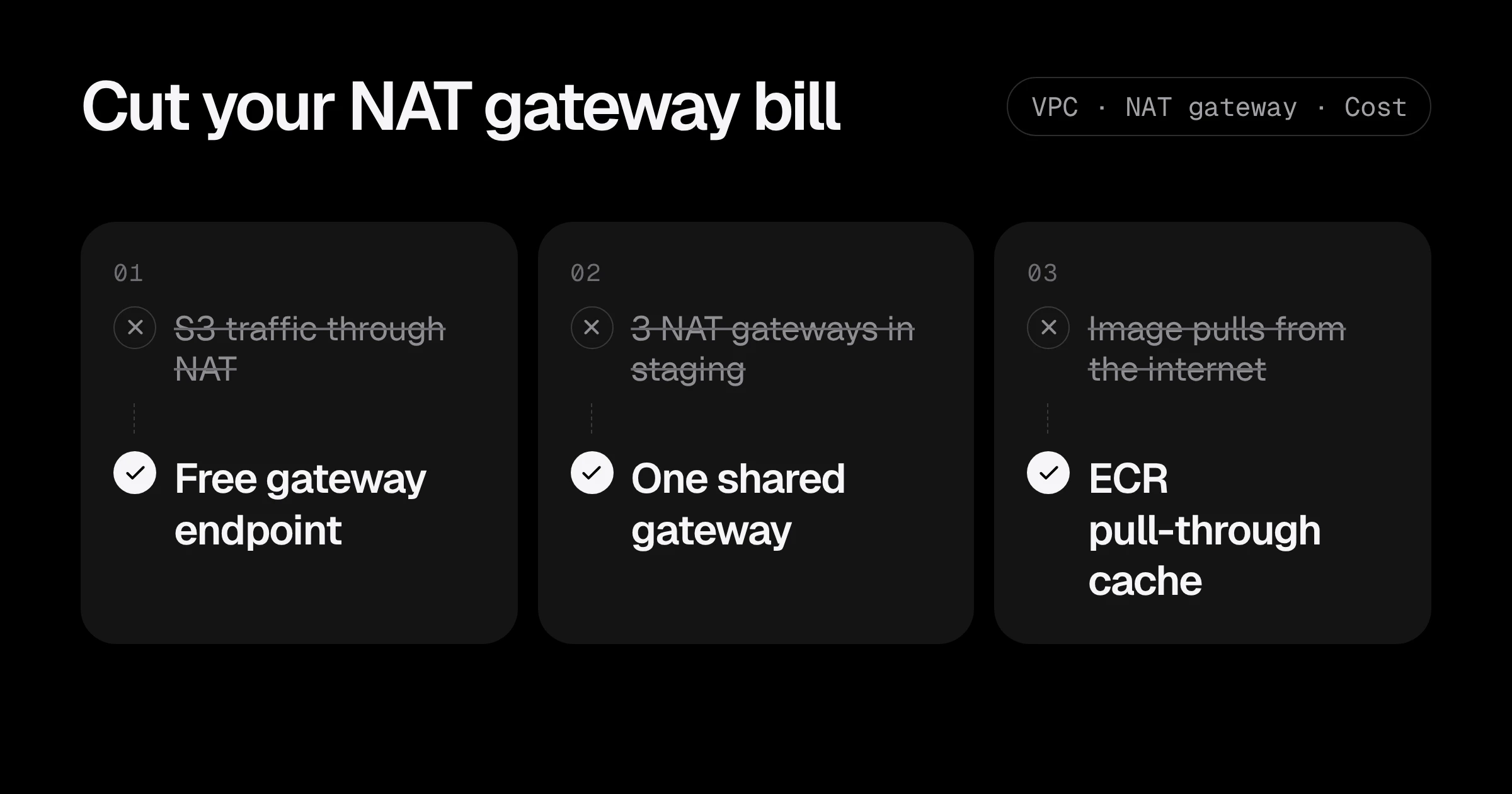
A NAT gateway is one of the most common surprises on a startup’s AWS bill. It looks harmless in the VPC diagram, and then Cost Explorer shows EC2-Other or NatGateway-Bytes as one of the top lines. The reason is that you pay twice: $0.045 per hour for each gateway, plus $0.045 for every GB of data it processes (us-east-1 prices, VPC pricing).
Most of that money is avoidable. In the accounts I review, the biggest share of NAT traffic is usually going to AWS services that the VPC could reach for free. This post shows where NAT cost comes from, how to measure it, and five fixes in order of effort.
What a NAT gateway actually costs
Two charges, both in every region where you run one:
| Charge | us-east-1 price | What it means |
|---|---|---|
| Hourly | $0.045 per gateway hour | About $32.85 a month per gateway, even with zero traffic |
| Data processing | $0.045 per GB | Every GB in or out through the gateway, on top of normal data transfer |
The standard “high availability” layout puts one NAT gateway in each availability zone, so three zones means about $99 a month before a single byte moves. Then the traffic:
| Monthly traffic through NAT | Processing charge | With 3 gateways |
|---|---|---|
| 100 GB | $4.50 | about $103 a month |
| 1 TB | $46 | about $145 a month |
| 10 TB | $461 | about $560 a month |
And if the traffic leaves AWS for the internet, normal data transfer out is billed as well. A container that pulls a 1 GB image from a public registry 300 times a month moves 300 GB through NAT: about $13.50 in processing alone, before transfer.
Step 1: find out what goes through your NAT gateways
Do not guess. Start with the bill:
aws ce get-cost-and-usage \
  --time-period Start=2026-10-01,End=2026-11-01 \
  --granularity MONTHLY --metrics UnblendedCost \
  --filter '{"Dimensions":{"Key":"SERVICE","Values":["EC2 - Other"]}}' \
  --group-by Type=DIMENSION,Key=USAGE_TYPE \
  --query 'ResultsByTime[].Groups[].[Keys[0],Metrics.UnblendedCost.Amount]' \
  --output text | grep NatGateway
You will see lines like USE1-NatGateway-Hours and USE1-NatGateway-Bytes. If Bytes is bigger than Hours, traffic is the problem; if Hours dominates, you have more gateways than you need.
Then look at each gateway’s traffic. This sums the bytes sent to destinations over the last 7 days:
aws cloudwatch get-metric-statistics --namespace AWS/NATGateway \
  --metric-name BytesOutToDestination \
  --dimensions Name=NatGatewayId,Value=nat-0abc123def4567890 \
  --start-time "$(date -u -d '-7 days' +%Y-%m-%dT%H:%M:%SZ)" \
  --end-time "$(date -u +%Y-%m-%dT%H:%M:%SZ)" \
  --period 604800 --statistics Sum
To see where the traffic goes, turn on VPC Flow Logs for the NAT gateway’s network interface for a day or two and group by destination. The usual top destinations are S3, ECR, CloudWatch Logs, Docker Hub or GitHub, and your own services in another VPC.
Fix 1: free gateway endpoints for S3 and DynamoDB
This is the biggest and safest win. A gateway VPC endpoint for S3 or DynamoDB routes that traffic inside AWS, without the NAT gateway, and it has no hourly charge and no data charge (VPC pricing).
In Terraform, one resource per service, attached to your private route tables:
resource "aws_vpc_endpoint" "s3" {
  vpc_id            = aws_vpc.main.id
  service_name      = "com.amazonaws.${var.region}.s3"
  vpc_endpoint_type = "Gateway"
  route_table_ids   = aws_route_table.private[*].id
}

resource "aws_vpc_endpoint" "dynamodb" {
  vpc_id            = aws_vpc.main.id
  service_name      = "com.amazonaws.${var.region}.dynamodb"
  vpc_endpoint_type = "Gateway"
  route_table_ids   = aws_route_table.private[*].id
}
Nothing changes in your code: the SDK still calls the normal S3 endpoint, and the route table sends it through the gateway endpoint. If a bucket policy limits access by source IP, switch it to aws:SourceVpce first, because traffic through the endpoint no longer comes from the NAT gateway’s public IP.
ECR stores image layers in S3, so the S3 gateway endpoint also removes most of the cost of pulling images from your own ECR repositories.
Fix 2: interface endpoints for busy AWS services
Other services, such as ECR’s API, CloudWatch Logs, STS, Secrets Manager and SQS, need interface endpoints. These are not free: about $0.01 per hour per availability zone (about $7.30 a month per zone) plus $0.01 per GB processed.
They are worth it when a service moves a lot of data. Compare for one service across 3 zones:
| Traffic to the service per month | Through NAT ($0.045/GB) | Interface endpoint (3 zones + $0.01/GB) |
|---|---|---|
| 50 GB | $2.25 | $22.40 |
| 500 GB | $22.50 | $26.90 |
| 2 TB | $92 | $42 |
So: add interface endpoints for the services that carry hundreds of GB a month (often CloudWatch Logs and ECR’s ecr.api and ecr.dkr for clusters that scale a lot), and leave quiet services on NAT. The NAT gateway cost calculator does this comparison with your own numbers.
Fix 3: stop pulling the same images and packages from the internet
Every docker pull from Docker Hub or GitHub Container Registry, every pip install and npm ci on a private instance goes through NAT. Common fixes:
- ECR pull-through cache. Point your clusters at ECR, which caches Docker Hub, GitHub and other public images the first time and serves them from your account after that. With the S3 gateway endpoint, repeat pulls stop touching NAT.
- Bigger, longer-lived nodes. Image layers are cached per node. Fifty small nodes that come and go every hour pull far more than ten that stay.
- Build in CI, not on the server. Instances that install packages at boot pay for that download every time they start.
Fix 4: right-size how many NAT gateways you run
One NAT gateway per zone is the right answer for production: if a zone fails, the other zones keep their internet access. It is usually the wrong answer for dev, staging and preview environments.
| Environment | Sensible layout | Monthly hourly cost |
|---|---|---|
| Production, 3 zones | 3 zonal NAT gateways, or one regional NAT gateway | about $99 |
| Staging | 1 NAT gateway shared by all zones | about $33 |
| Dev, short-lived previews | 1 NAT gateway, or a NAT instance | $3 to $33 |
With one shared NAT gateway, traffic from the other zones crosses availability zones to reach it, which adds $0.01 per GB each way. For low-traffic environments that is far less than two extra gateways.
What about the regional NAT gateway? Since November 2025, a NAT gateway can be created in regional mode (AWS announcement). One regional NAT gateway serves every zone in the VPC, needs no public subnet, and expands to new zones on its own (AWS blog):
aws ec2 create-nat-gateway --vpc-id vpc-0abc123def4567890 --availability-mode regionalIt is billed per hour for each zone it runs in, at the same rate, plus the same per-GB charge. So it does not cut the bill by itself. What it removes is the work: one gateway ID, one route, no per-zone NAT setup to forget when you add a zone. For new production VPCs it is a good default; for an existing VPC that already works, move to it only when you are touching the network anyway.
Fix 5: no NAT at all, where you can
Some private workloads do not need the internet:
- A Lambda function or ECS task that only talks to S3, DynamoDB, SQS and Secrets Manager can use endpoints and skip NAT entirely.
- Databases in private subnets almost never need outbound internet. Give them their own subnets with no route to NAT.
- For tiny dev environments, a NAT instance on a
t4g.nanocosts a few dollars a month. The trade-off is real: you patch it, it is a single point of failure, and its bandwidth is small. Never use one for production.
What these fixes save: a real example
A startup with one production VPC across 3 zones and a staging VPC across 3 zones, moving 3 TB a month through NAT. 2 TB of it is S3 and ECR layer traffic.
| Item | Before | After |
|---|---|---|
| Gateways | 6 ($197) | 4: 3 in production, 1 in staging ($131) |
| Data processed | 3 TB ($138) | 1 TB ($46) |
| S3 gateway endpoints | none | 2 (free) |
| Monthly NAT cost | about $335 | about $177 |
That is about $1,900 a year back, from two free endpoints and one smaller staging layout, with no change to application code.
NAT gateway cost checklist
- Check the NAT lines in Cost Explorer: running hours and data processed.
- Look at each gateway’s traffic in CloudWatch, and turn on Flow Logs briefly to see destinations.
- Add free gateway endpoints for S3 and DynamoDB to every VPC.
- Add interface endpoints only for services that move hundreds of GB a month.
- Cache container images in ECR instead of pulling from the internet.
- Use one NAT gateway in dev and staging; keep one per zone, or one regional NAT gateway, in production.
If your private subnets also hold leftovers that bill you every hour, see 3 hidden AWS charges. Planning a new VPC? Get the ranges right first with the VPC CIDR planning guide. For a full review of your network and bill, see the AWS cost optimization service or start with a Free AWS Review.
Prices are from the Amazon VPC pricing page and PrivateLink pricing for us-east-1, checked in November 2026. Other regions are slightly different.
Common questions
Why is my NAT gateway so expensive?
You pay twice: $0.045 per hour for each gateway (about $33 a month) and $0.045 for every GB it processes. Most of the surprise comes from the per-GB part, usually from S3, ECR image pulls or logs going through the NAT gateway when they could use VPC endpoints.
Is a regional NAT gateway cheaper?
Not by itself. A regional NAT gateway is billed per hour for each availability zone it runs in, at the same rate as a zonal one, plus the same per-GB charge. Its value is simpler setup and automatic expansion to new zones, not a lower price.
Are S3 gateway endpoints really free?
Yes. Gateway VPC endpoints for S3 and DynamoDB have no hourly charge and no data processing charge. Interface endpoints for other services do cost money.
Can I run without a NAT gateway?
Sometimes. If private workloads only talk to AWS services that have VPC endpoints, you can skip NAT entirely. For small dev environments, a NAT instance is cheaper but you manage and patch it yourself.
How do I see how much traffic goes through my NAT gateway?
Look at the BytesOutToDestination and BytesInFromDestination metrics in CloudWatch, or the NatGateway-Bytes usage type in Cost Explorer. VPC Flow Logs show which destinations the traffic goes to.
Want this set up for your team?
I build this kind of infrastructure for startups and small teams, with fixed prices and full handover.