How to plan VPC CIDR ranges so you never have to rebuild
VPC CIDR planning in plain steps: pick a range and subnet sizes that leave room to grow, avoid overlaps, and allow for the 5 IPs AWS reserves per subnet.
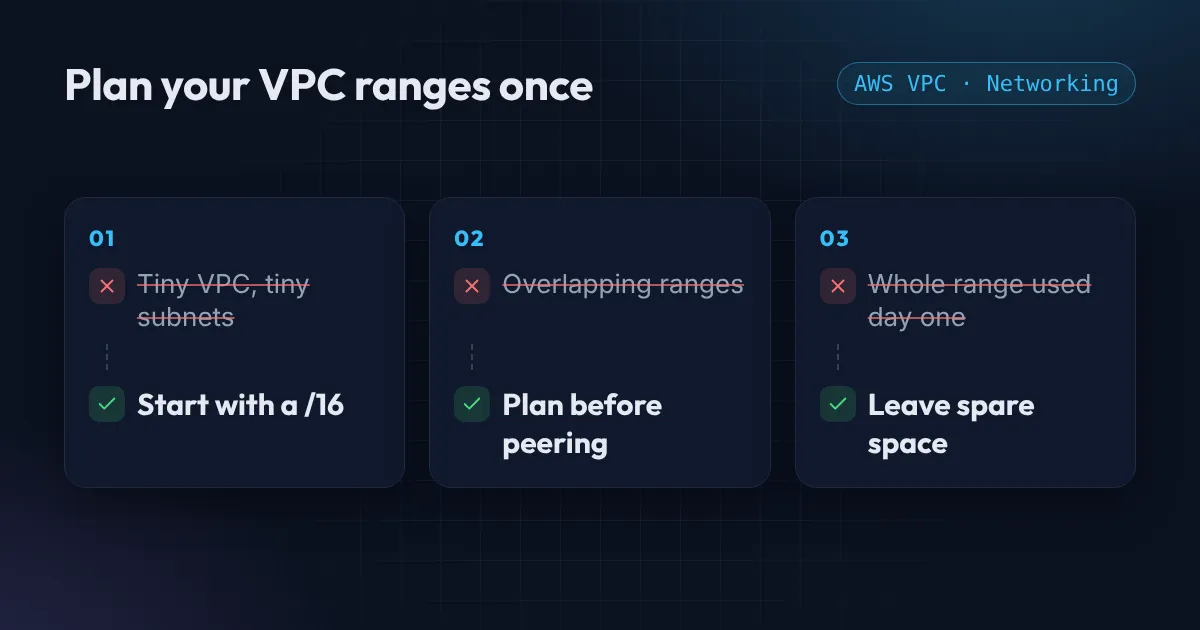
The IP range of a VPC is one of the few AWS choices you cannot easily undo. You cannot change a VPC’s main range after it is created, and you cannot resize a subnet. Get it wrong and the fix is a new VPC and a migration, so ten minutes of VPC CIDR planning up front is worth it.
The good news is that a little planning on day one avoids almost all of it. Here is what AWS allows, the three mistakes I see most, and a layout you can copy.
VPC CIDR planning: what AWS lets you choose
A VPC range (a CIDR block) can be anywhere from /16, which is 65,536 addresses, down to /28, which is 16. Use a private range: 10.0.0.0/8, 172.16.0.0/12 or 192.168.0.0/16. Each subnet is a slice of the VPC range, lives in a single availability zone, and has the same /16 to /28 limits.
One detail catches people out: AWS keeps 5 addresses in every subnet (the first four and the last one). A /24 has 256 addresses but only 251 usable. A /28 gives you just 11. AWS lists the reserved addresses in its subnet CIDR blocks guide.
Mistake 1: every VPC is 10.0.0.0/16
It is the default example in every tutorial, so every team ends up with it. It works until the day you need to connect two networks. VPC peering, Transit Gateway and site-to-site VPN all need ranges that do not overlap, and you cannot peer two VPCs that both use 10.0.0.0/16.
Give each VPC and each environment its own range, and write the plan down in one table in your repo:
- prod:
10.10.0.0/16 - staging:
10.20.0.0/16 - dev:
10.30.0.0/16 - office VPN:
192.168.0.0/20
The default VPC that AWS creates uses 172.31.0.0/16, so avoid that one for your own networks as well.
Mistake 2: subnets that are too small
A /24 sounds generous. Then you add Kubernetes. With the default AWS VPC CNI on EKS, every pod gets its own IP address from the subnet, and load balancers, VPC endpoints and NAT gateways each take addresses too. A busy cluster can use up a /24 quickly, and you cannot make that subnet bigger.
A /20 gives 4,091 usable addresses and is a comfortable size for subnets that hold workloads. A /16 VPC holds sixteen of them.
Mistake 3: using the whole range on day one
If you cut the whole /16 into subnets immediately, you have nowhere to put the next thing. Use roughly half and leave the rest unallocated. For three availability zones, a layout like this works well:
locals {
  vpc_cidr = "10.10.0.0/16"
  azs      = ["us-east-1a", "us-east-1b", "us-east-1c"]

  # /16 split into /20 blocks: 4 new bits, block number i
  public   = [for i, az in local.azs : cidrsubnet(local.vpc_cidr, 4, i)]      # 10.10.0.0/20, 10.10.16.0/20, 10.10.32.0/20
  private  = [for i, az in local.azs : cidrsubnet(local.vpc_cidr, 4, i + 4)]  # 10.10.64.0/20, 10.10.80.0/20, 10.10.96.0/20
  database = [for i, az in local.azs : cidrsubnet(local.vpc_cidr, 4, i + 8)]  # 10.10.128.0/20, 10.10.144.0/20, 10.10.160.0/20
}
That uses nine of the sixteen /20 blocks, so there is room for a new tier or a bigger cluster later. If you do run out, a VPC can have extra IPv4 ranges added to it (up to five by default), which is a useful escape hatch but not a substitute for planning.
Check for overlap before you connect anything
Before you peer two VPCs or set up a VPN, compare their ranges. It takes seconds with the free VPC CIDR and subnet calculator: enter your range, pick a subnet size and zone count, and it lists every subnet with its usable addresses. It also has an overlap checker for two ranges. It runs in your browser, so nothing you type is sent anywhere.
Want a second pair of eyes?
If your VPC layout is already in place and you are not sure it will scale, or you need to untangle overlapping ranges, I can review it. The Free AWS Review is a written list of what to fix first, and the AWS Foundation package covers a clean network design in Terraform.
Want this set up for your team?
I build this kind of infrastructure for startups and small teams, with fixed prices and full handover.