Base64 is not encryption: Kubernetes Secrets and JWT mistakes
Base64 is encoding, not encryption, so Kubernetes Secrets and JWT payloads are readable by anyone. What that means, how to decode safely, and safer options.
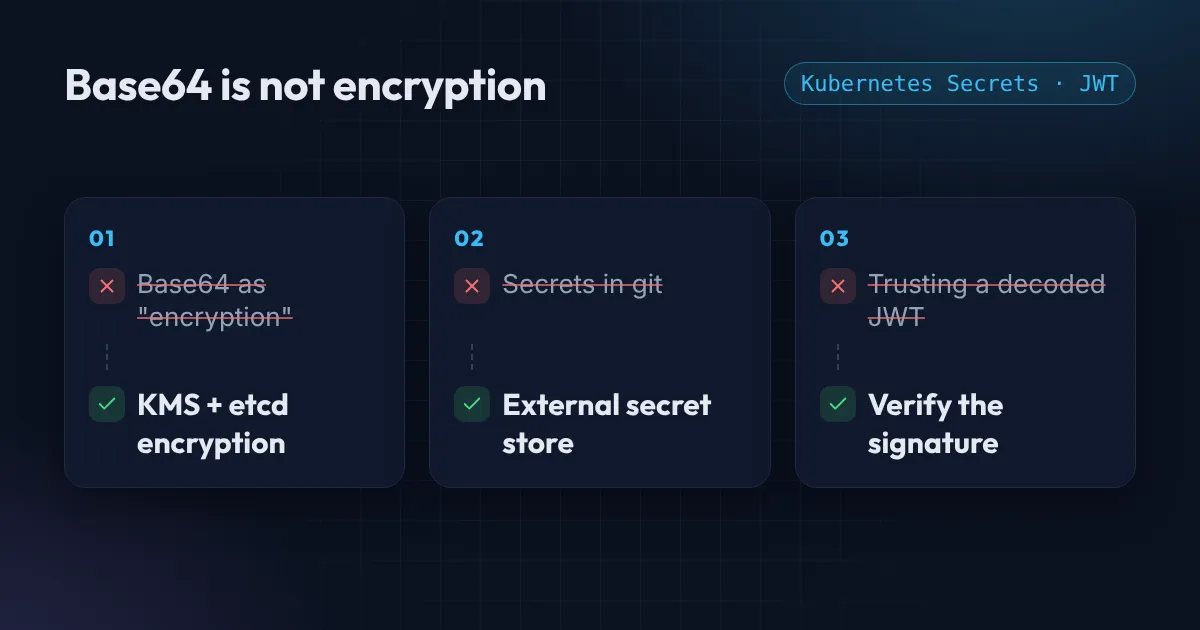
Open a Kubernetes Secret and the password looks scrambled: cGFzc3dvcmQxMjM=. Open a JWT and the middle part is a wall of letters. It is easy to feel that this is protected. It is not. Is Base64 encryption? No, it is encoding, and anyone can reverse it.
Both are just Base64. Anyone who can see the text can read it in seconds, and that has caused real leaks.
Is Base64 encryption? What it actually is
Base64 turns bytes into text made of letters, digits and a few symbols, so that binary data can travel through systems that expect text. There is no key and no secret. You can decode it with a command that is already on your machine:
echo 'cGFzc3dvcmQxMjM=' | base64 -d
# password123
That is the whole “protection”. The value above is password123.
Mistake 1: treating Kubernetes Secrets as encrypted
A Kubernetes Secret stores its values as Base64, and by default they sit in etcd unencrypted, as the Kubernetes Secrets documentation warns. Anyone who can run kubectl get secret in that namespace can read the values:
kubectl get secret db-credentials -o jsonpath='{.data.password}' | base64 -dTwo things reduce the risk. First, limit who can read Secrets with RBAC. Second, turn on encryption at rest for etcd (on EKS, that means envelope encryption of Secrets with a KMS key). Neither changes the fact that the manifest itself is readable, which leads to the next mistake.
One small bug to know about: when you create a Secret by hand, use echo -n, not echo. Without -n a newline is encoded into the value and your password quietly stops working.
Mistake 2: Secrets committed to git
A secret.yaml with Base64 values in a repository is a plain-text secret in git, and git history is forever. Do not commit it, even to a private repository.
Instead keep the secret in a store built for it, such as AWS Secrets Manager or Parameter Store, and bring it into the cluster with a tool like External Secrets Operator. Your repository then holds only a reference to the secret, never the value. If a secret has already been committed, treat it as leaked: rotate it, then clean up.
Mistake 3: trusting a JWT because you can read it
A JSON Web Token has three parts separated by dots: a header, a payload and a signature. The first two are Base64URL-encoded JSON, so you can read them without any key:
echo 'eyJzdWIiOiIxMjM0NTYifQ' | tr '_-' '/+' | base64 -d 2>/dev/null
# {"sub":"123456"}
That is useful for debugging: you can check exp (expiry), iss (issuer), aud (audience) and sub (subject). But reading a token proves nothing about whether it is real. Anyone can write a JWT with any claims. Only checking the signature with the right key proves it came from who you think.
On the server side, that means using a maintained library, which should:
- verify the signature, and only accept the algorithms you expect (never accept
alg: none); - check that the token has not expired and is meant for your service (
exp,aud); - check the issuer (
iss).
And never put anything secret in a JWT payload, because everyone who holds the token can read it.
GitHub Actions uses JWTs too. Its OIDC token carries a sub claim naming the repository and branch, which is exactly what an AWS trust policy checks. I explain how to lock that down in keyless deploys with GitHub Actions and AWS OIDC.
Decode safely, in your browser
When you need to see what is inside a Base64 string or a token, the free Base64 and JWT decoder shows the header, the payload and the expiry in plain form, and warns about unsigned tokens. It runs entirely in your browser and sends nothing anywhere. As a rule, avoid pasting live production tokens into any website you do not control.
Tidy up your secrets
If you are not sure where your secrets live, I can find out. The Free AWS Review covers secrets handling and IAM, and the AWS Foundation package sets up Secrets Manager, KMS and least-privilege roles in Terraform.
Want this set up for your team?
I build this kind of infrastructure for startups and small teams, with fixed prices and full handover.