3 AWS IAM mistakes I find in almost every account
Three AWS IAM mistakes in most accounts: daily work as root, admin rights for everyone, no audit trail. The fixes: roles with MFA, read-only, CloudTrail.
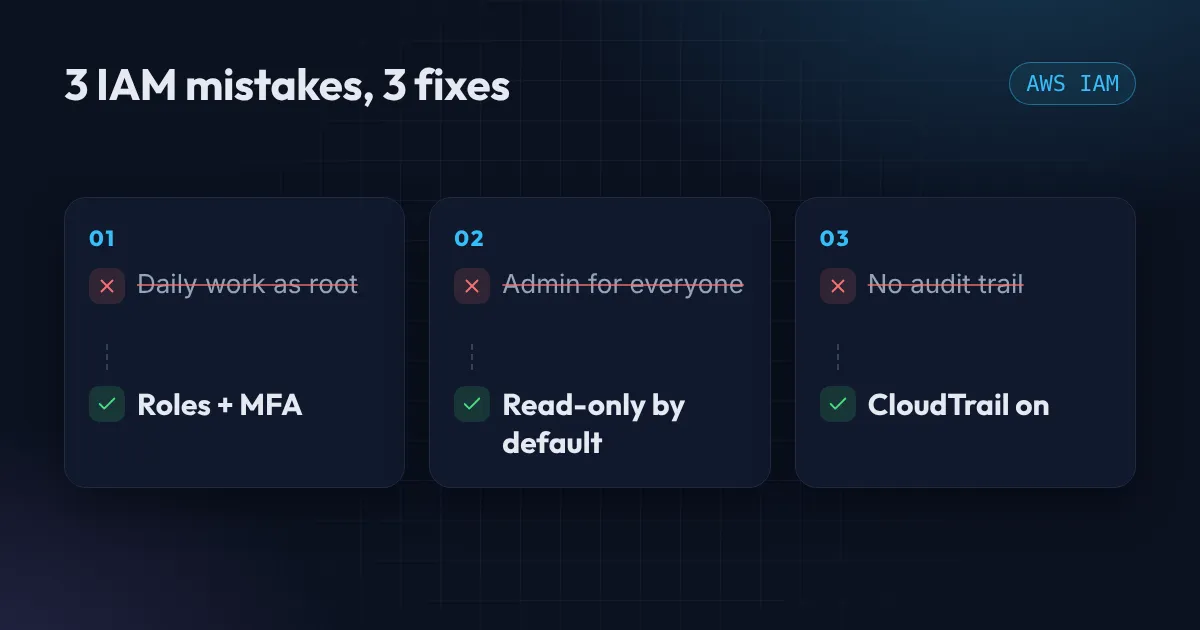
When I audit an AWS account, I rarely find something exotic. I find the same three AWS IAM mistakes, over and over. None of them needs a security team to fix. Each one takes less than an hour.
If you only have time for one afternoon of AWS security work, spend it here.
Mistake 1: Doing daily work as the root user
The root user is the email address you signed up with. It can do everything: close the account, change billing, remove every safeguard. That power is the problem. A single phished password or leaked session is a total loss.
The fix has three parts:
- Turn on MFA for root and store the device somewhere safe, not on the laptop you work from.
- Delete any root access keys. Root should never have programmatic access.
- Do your daily work through a role. The cleanest way is IAM Identity Center (the successor to AWS SSO). You sign in with your company or personal identity, pick a role, and get temporary credentials that expire on their own.
Use root only for the handful of tasks that require it, such as changing the account’s support plan. After that, log out.
Mistake 2: Admin rights for everyone
“Just give them AdministratorAccess so nothing breaks” is the most common sentence in cloud security incidents. It works until the day one developer laptop is compromised, and the attacker inherits an account-wide key.
The principle is least privilege: start with the smallest access that lets someone do their job, and add more only when they ask.
A practical way to get there without a month of policy writing:
- Make ReadOnlyAccess the default permission set for everyone.
- Create a separate, narrowly scoped role for each real job, such as deploying one application or managing one bucket.
- Give elevated access for a limited time, then let it expire.
resource "aws_iam_role_policy_attachment" "developers_readonly" {
  role       = aws_iam_role.developers.name
  policy_arn = "arn:aws:iam::aws:policy/ReadOnlyAccess"
}
When someone needs more, they ask, you grant a scoped role, and the request itself becomes a record of why.
Mistake 3: No audit trail
If something goes wrong, the first question is “who did what, and when?” Without CloudTrail, you cannot answer it.
Every account has 90 days of recent events in the console by default, but that history is hard to search and disappears. A proper trail writes to your own S3 bucket and covers every region.
resource "aws_cloudtrail" "main" {
  name                          = "account-trail"
  s3_bucket_name                = aws_s3_bucket.trail.id
  is_multi_region_trail         = true
  include_global_service_events = true
  enable_log_file_validation    = true
}
Your first trail of management events is free. You only pay for the S3 storage of the log files, which is pennies for a small account. Add a lifecycle rule to expire old logs so the bucket stays small.
Alert on root logins
A trail that nobody watches is just storage. The single most useful alert is “someone signed in as root”, because in a healthy account that almost never happens. An EventBridge rule matching root console sign-ins can send a message to an SNS topic, which then emails you or posts to Slack.
{
  "detail-type": ["AWS Console Sign In via CloudTrail"],
  "detail": { "userIdentity": { "type": ["Root"] } }
}
Console sign-in events are recorded in us-east-1 for the global sign-in endpoint, so create the rule there.
AWS IAM mistakes: the one-hour checklist
- Root has MFA and no access keys.
- Daily access goes through IAM Identity Center or roles, with MFA.
- The default permission set is read-only.
- A multi-region CloudTrail writes to a private bucket with log validation on.
- An alert fires on any root sign-in.
Prefer to see it in 45 seconds? I covered it in a YouTube Short.
To check a policy yourself, paste it into the free AWS policy checker. It flags Action: "*", iam:PassRole on every role and public principals, and runs in your browser.
If you would like someone to check your account against this list, my Free AWS Review does exactly that. I look at IAM, S3 exposure, and cost, and send you a short written summary. Or get in touch if you want help fixing what turns up.
Want this set up for your team?
I build this kind of infrastructure for startups and small teams, with fixed prices and full handover.