EventBridge cron expressions vs cron: the 6-field trap
An EventBridge cron expression has 6 fields, a required question mark and different day numbers. How it differs from cron, CronJobs and GitHub Actions.
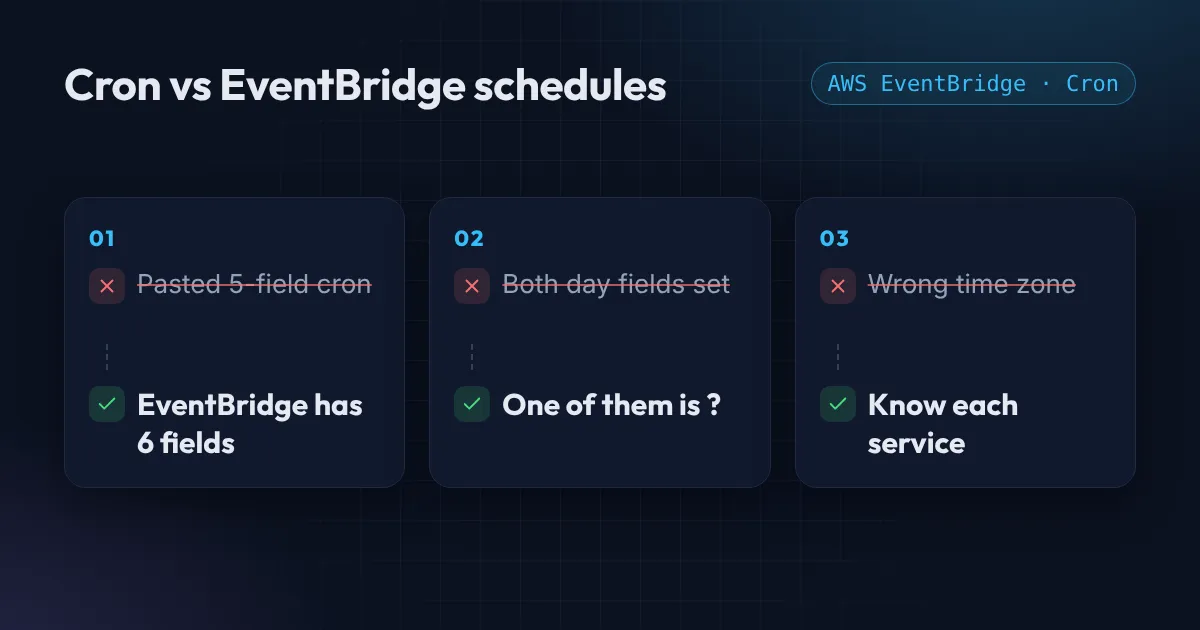
You know cron. Five fields, a star, a slash. Then you paste 0 8 * * 1-5 into an AWS EventBridge rule as a cron expression and get an error, or worse, it saves and runs at the wrong time.
EventBridge looks like cron but is not quite cron. Here are the differences that matter, and how each tool handles time zones.
Standard cron has 5 fields
┌ minute (0-59)
│ ┌ hour (0-23)
│ │ ┌ day of month (1-31)
│ │ │ ┌ month (1-12)
│ │ │ │ ┌ day of week (0-6, Sunday is 0)
* * * * *
So 30 2 * * 0 means 02:30 every Sunday. This is the format used by Linux crontab, Kubernetes CronJobs and GitHub Actions schedules.
An EventBridge cron expression has 6 fields
EventBridge adds a year at the end, and changes two rules:
cron(minute hour day-of-month month day-of-week year)
cron(30 2 ? * 1 *) # 02:30 every Sunday- One day field must be
?. You cannot set both day-of-month and day-of-week. Use?(“no specific value”) in one of them. This is the mistake behind most “invalid schedule expression” errors. - Day-of-week runs 1 to 7, with Sunday as 1. You can also use names:
SUN,MON, and so on. Copying a Sunday-is-0 schedule from cron shifts every day by one.
Weekdays at 18:00 looks like this: cron(0 18 ? * MON-FRI *). EventBridge also has extras that standard cron lacks: L for the last day, 15W for the weekday nearest the 15th, and 6#3 for the third Friday of the month.
If you only need “every N minutes” you can skip cron entirely: rate(5 minutes). Use the singular for one (rate(1 minute)).
Time zones: the quiet one
EventBridge rules always run in UTC. If you want 08:00 in your own time zone, you have to convert it, and remember that daylight saving time moves your local time against UTC twice a year. EventBridge Scheduler, the newer service, lets you pick a time zone for each schedule, which avoids that problem. AWS now recommends Scheduler over scheduled rules; the full field rules are in the EventBridge schedule expression reference.
The other tools differ too. GitHub Actions schedule triggers run in UTC unless you add a timezone key (supported since March 2026), can be delayed when GitHub is busy, and cannot run more often than every 5 minutes. Kubernetes CronJobs follow the time zone of the controller by default and have a timeZone field, which became stable in Kubernetes 1.27.
Putting it in Terraform
resource "aws_cloudwatch_event_rule" "nightly_cleanup" {
  name                = "nightly-cleanup"
  schedule_expression = "cron(30 2 * * ? *)" # 02:30 UTC every day
}
Note the ? in the day-of-week position and the * for the year. Add a comment that states the time zone, because the next person to read it will wonder.
Check a schedule before you ship it
The easiest way to catch these mistakes is to read the schedule back in plain English and look at the next few run times. The free cron expression explainer does exactly that for both standard cron and EventBridge, shows the next five runs in UTC, and tells you what is wrong when an expression is invalid. To go the other way, the cron expression generator builds the expression from a schedule you pick, in your own time zone, for crontab, GitHub Actions, EventBridge and Kubernetes. Both run in your browser.
Scheduled jobs that quietly fail
A schedule is only half the job. The other half is knowing when it did not run. If you have cron jobs, Lambda schedules or CronJobs that nobody watches, I can add alerts and clean them up. Start with the Free AWS Review, or see how to set up AWS monitoring alerts.
Want this set up for your team?
I build this kind of infrastructure for startups and small teams, with fixed prices and full handover.